INSTALLATION
8
Using fix bolt and ABS Nut(supplied)
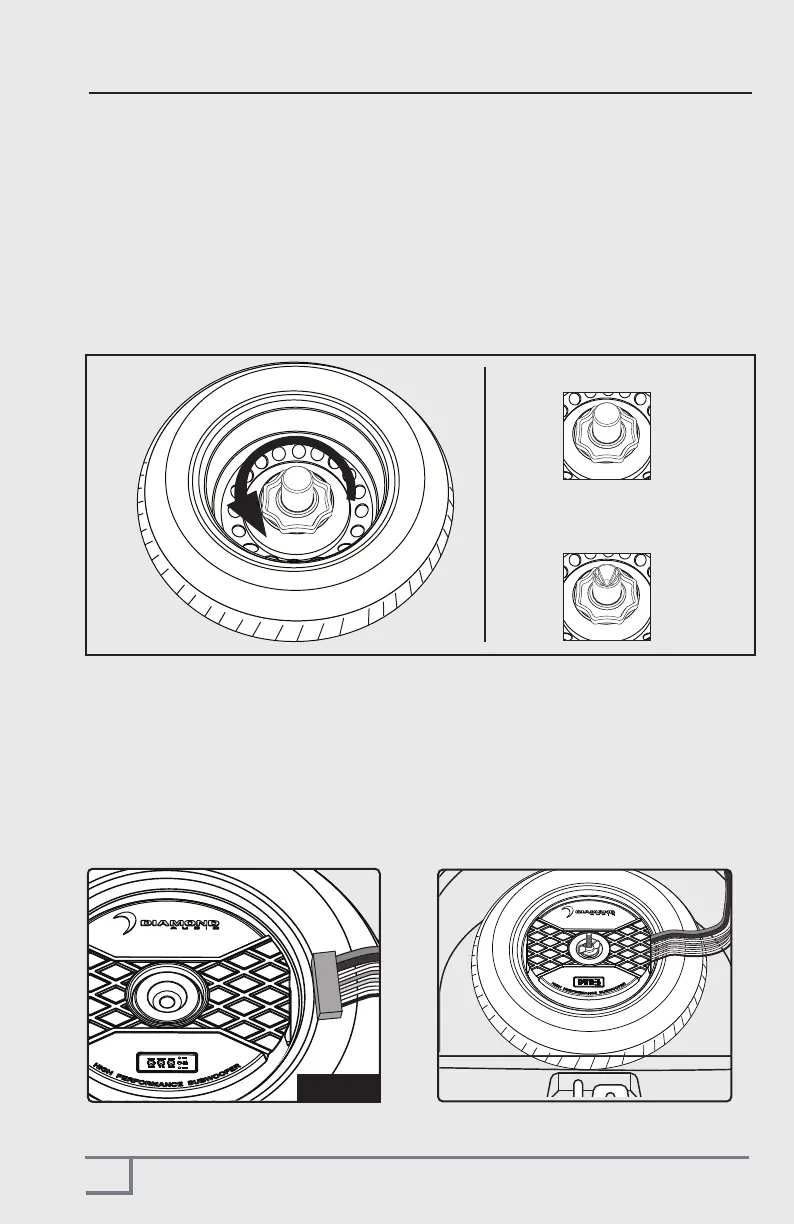
SPARE TIRE WITH ABS NUT (AUDI/VW TYPICALLY)
Some vehicles have a different type of spare tire mounting system as shown below.
Where there is a large “NUT” and a bolt coming thru the center of the spare tire.
IF so....
1. Thorughly clean the spare tire
2. Replace the original spare ABS fixing nut with the supplied one that came with
the DAST12
ORIGINAL OEM ABS NUT
CERWIN VEGA
REPLACEMENT ABS NUT
(included)
CONNECTING WIRING HARNESS
1. Insert the Power/input plug in the socket in the handle area, making sure it "clicks"
in place. Once it is plugged in, wrap all the wires neatly so that it is easy to unplug and
remote the unit when necessary.
2. The DAST12 can now be mounted into the spare tire, please make sure no wires are
caught or pinched under or on the side of the unit.
Figure 5



 To Next Page