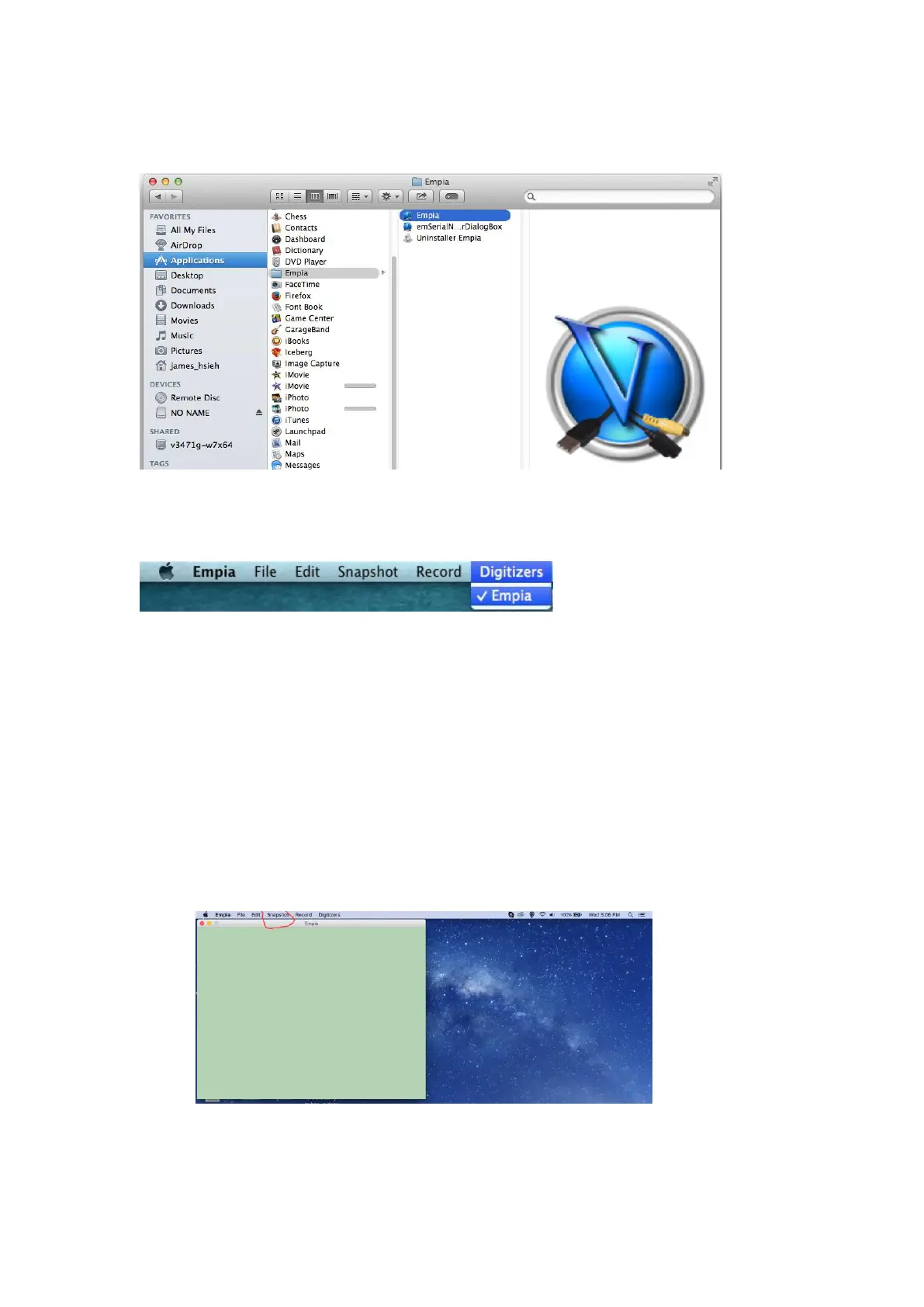
2. Starting the Empia Capture software.
3. Go to Applications and open the Empia folder then click on Empia
4. Go to the toolbar and click on Digitizers/Empia
Snapshot & Snapshot Setup (Used for grabbing still image
screen shots from your video source)
1. Click on Snapshot tab and then click on Snapshot to grab a still image from
your video or click on Snapshot setup to change image formats and default
destination directories


 To Next Page