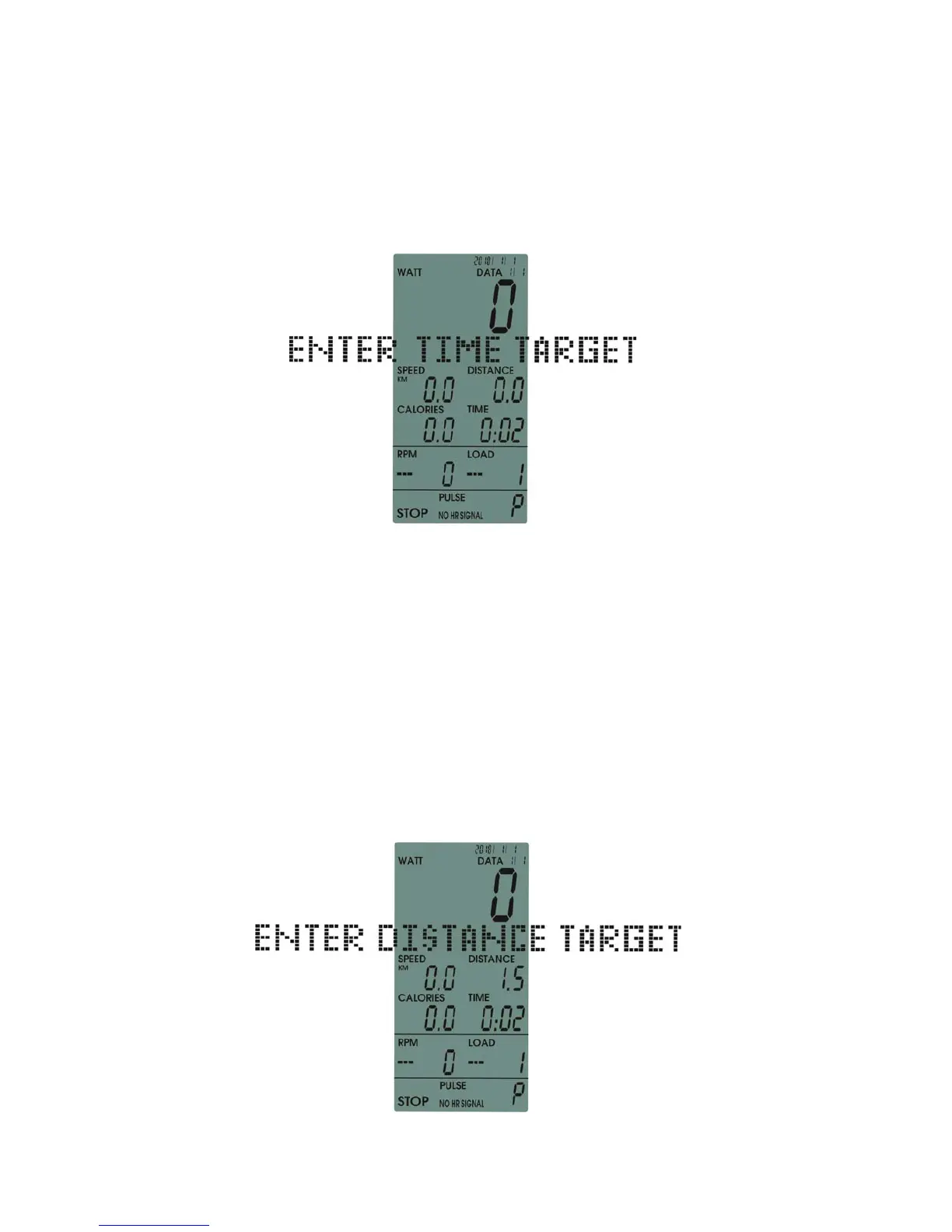
Press ENTER KEY and select TIME TARGET mode (The display window in the middle
ENTER TIME TARGET
shows
.) (image6)
1.You can enter value directly instead of pressing UP/DOWN button.
2.Or press UP/DOWN to set the value, ranging from 0:00 to 99:00 (the value
decrease 1:00
increase/
with each press )
The console’s default mode is counting downward. And when the value returns to zero,
after four beeping sounds, the console start counting upward.
image 6
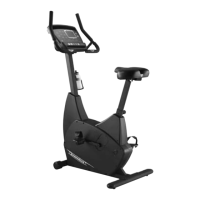
image 7
Press ENTER KEY, select DIST TARGET mode (The display window in the middle shows
DISTANCE TARGET)
ENTER
(image7)
1.You can enter value directly instead of pressing UP/DOWN button.
2. Or press UP/DOWN to set the value, ranging from 0:00 to 99:00
Range between 0.0 and 99.5, (the value increases/decreases 0.5 with each press)
Range between 100 and 999, (the value increases/decreases 1 with
each press)
The c
onsole’s default mode is counting downward. And when the value returns to zero,
after four beeping sounds, the console start counting upward.
B.TIME
C.DISTANCE


 To Next Page