LANGUAGE
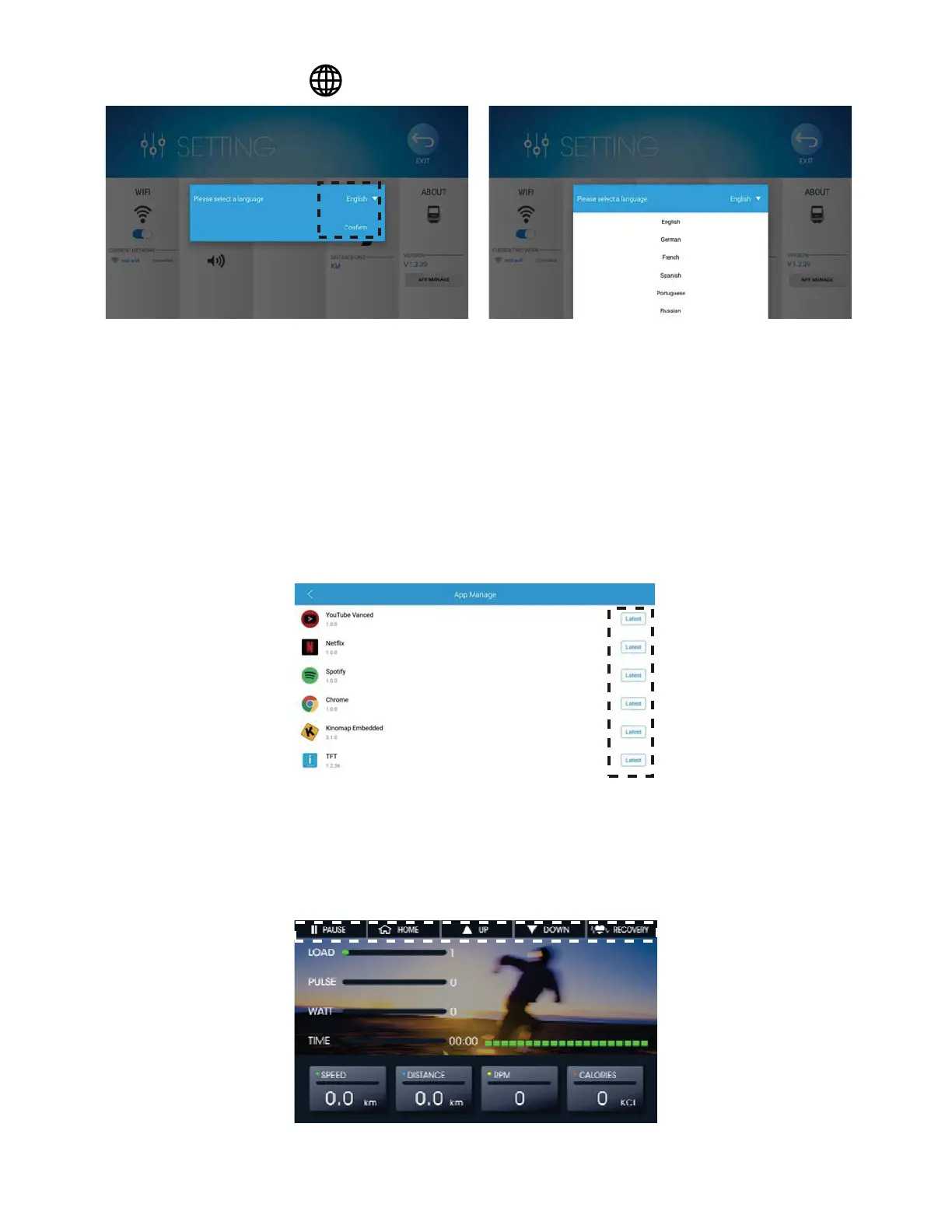
1. Press the (Fig.6 & Fig.9a)
Fig.9 Language Selection (a) Fig.9 Language Selection (b)
2. Press the recent language and then choose the language you want.
3. Press Confirm to change the language of the console. (Fig. 9b)
UNIT SWITCH
Choose the unit, KM or ML, you want to display. (Fig.6)
ABOUT
1. Press the APP MANAGE Button (Fig.6)
2. The APPs installed in the console are listed with their version.
Please check Figure 10.
Fig.10 App Manage List
y How to Start Your Training?
¾ QUICK START
1. How to start the ‘QUICK START’?
Fig.11 Quick Start Function



 To Next Page