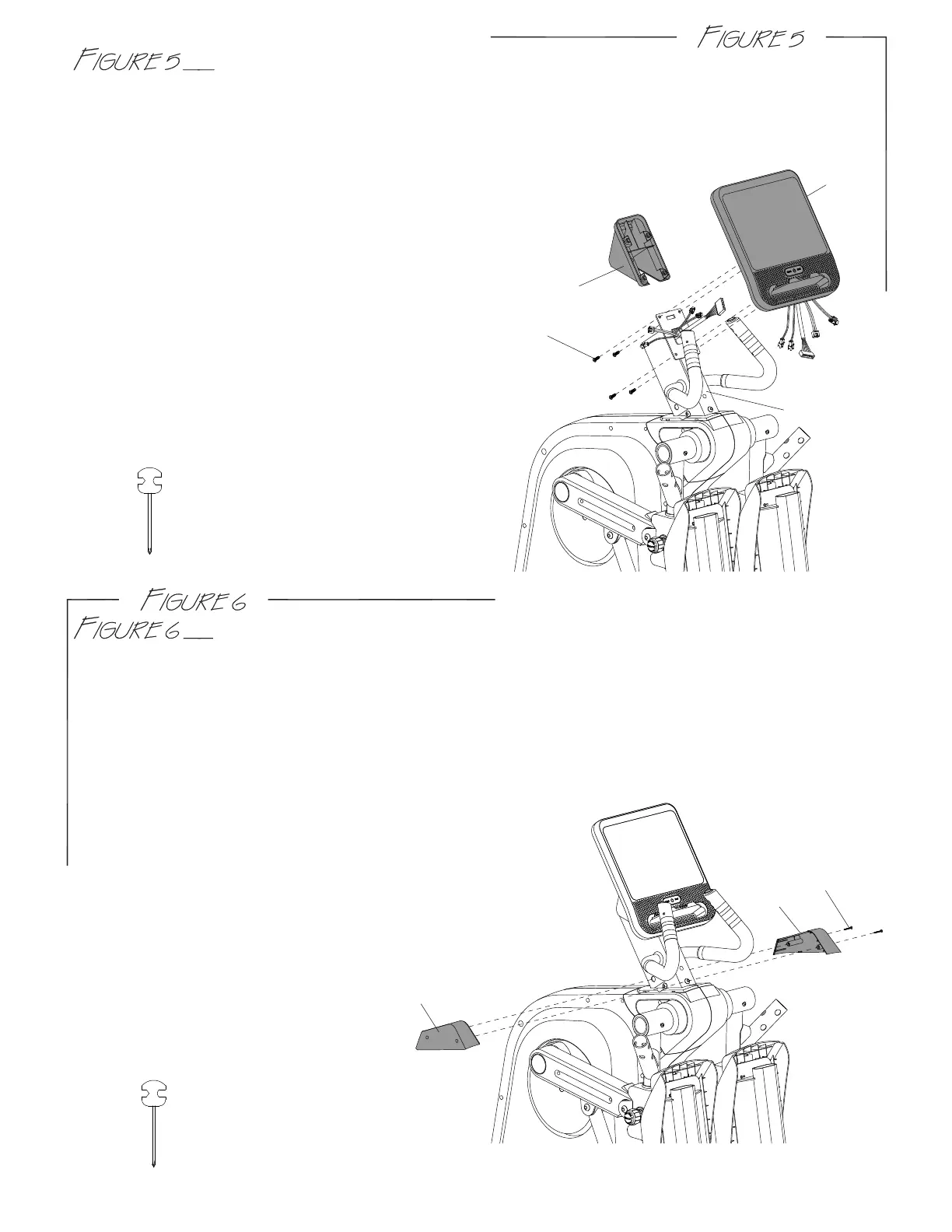
CONSOLE & CONSOLE COVER ASSEMBLY
Step 1. Remove four screws (G3) from the console (G).
Step 2. Connect all wires.
Step 3. Fit the console (G) to console supporting tube (D).
CONSOLE SUPPORTING TUBE COVER (L&R) ASSEMBLY
G3
G2
G
D
USE TOOL:
USE TOOL:
A8
A78
A9
6
Step 4.
Step 5.
Slide the console cover (G2) on console supporting tube (D).
Screw console, console supporting tube (D)
and console cover (G2) together using screws (G3).
Step 1. Attach the console supporting tube cover-L (A8) and console supporting tube cover-R
(A9) using screws (A78).



 To Next Page