Page 11;&(%$*4.8"4,7%<'*#$"&8#=%/7*,#*%4,77%>?@@@?@AA?BCDC1Item 64684
EF;6GHIJ6KFGLIMNFLMG6MFMO6 E6GPJ
L8#$,77"83%$.*%G,+7*%,89%6a$*8#"&8%G,+7*
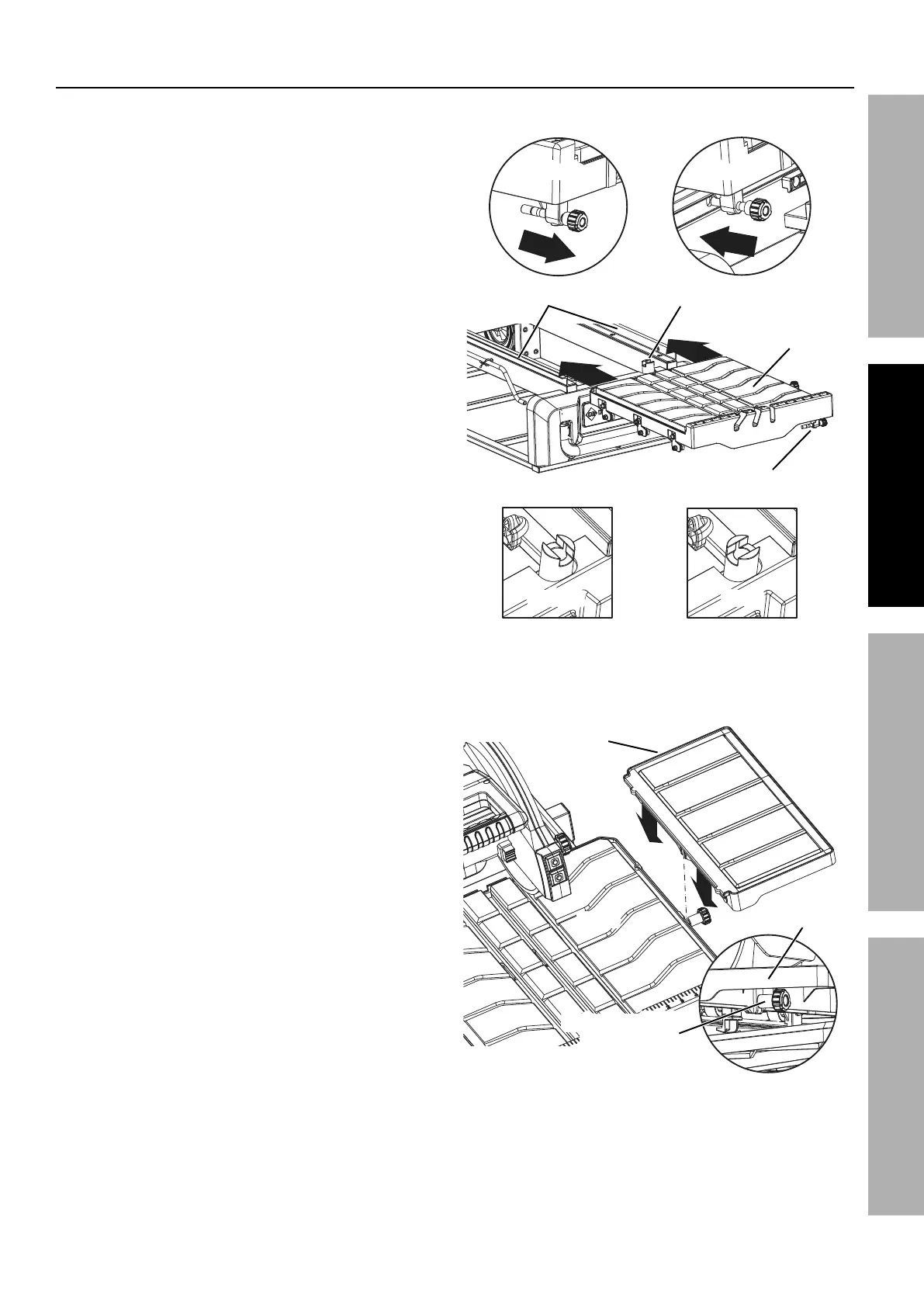
1. On the right side of the Table (63), pull the
Table Lock Lever (55) out. Rotate the Toggle
Table Stop (20) to the unlock position.
2. Hold the Table parallel with the Water Tray
Frame (5), set the Table rollers on the Frame rails
and push the Table toward the back of the saw.
3. Push the Table back along the Frame rails until
the final set of rollers engage the rails. Rotate
the Toggle Table Stop to the lock position.
4. Hang the Extension Table (57) on the right
side of the Table with the middle slot inserted
into the bolt of the Extension Table Lock
Knob (56). Tighten the Lock Knob underneath the
Extension Table clockwise to secure in place.
G,+7*%L8#$,77,$"&8
G&337*%
G,+7*%
E$&/
G&337*%G,+7*%E$&/
G,+7*%
T&4_%
T*W*(
G,+7*%T&4_%T*W*(
G,+7*
T&4_P87&4_
T&4_P87&4_
;(,5*%K,"7#
6a$*8#"&8%G,+7*%L8#$,77,$"&8
6a$*8#"&8%
G,+7*
G,+7*
6a$*8#"&8%
G,+7*
6a$*8#"&8%G,+7*%
T&4_%Y8&+


 To Next Page