8 9
Clock key
Reservation
Upper
Lower
Left
Right
ON / OFF key
Recharge key
Suction setting key
Focus cleaning key
1
2
3
4
5
6
7
8
9
10
Turn (when cleaning) / back (when
recharging)
Enter the recharging mode / stop
(when recharging)
Press the button 2 seconds to close
the Voice Prompt
View / setting of time
Set up the cleaning reservation
Start cleaning / forward
Turn left
Turn right
Start / stop / wake up
Mute, routine and powerful
Enter the focus cleaning mode
10
9
7
21
8
3-6
Remote control with
screen
1
3 4
2
1
1m
2m
1
.
.
Product Components Product Operation
Remote controller
Precautions
Battery charge
S/N Key name Function
Notice: Please install the battery before use. Remove the battery if the remote control is not
used for a long time.
Before the host works, please refer to the following instructions to check the cleaning area
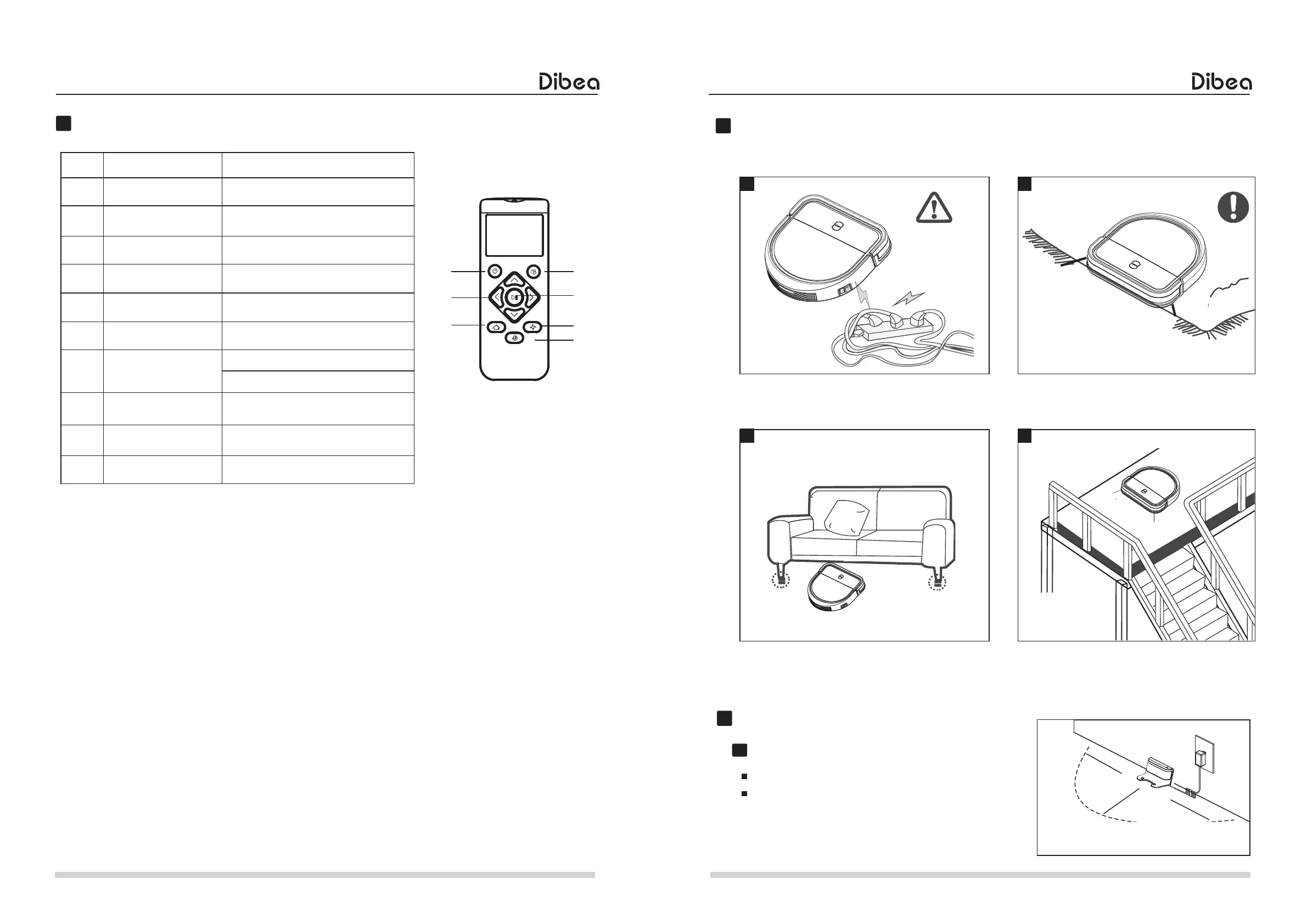
The power cord and other sundries scattered on
the ground may entangle or wrap the product. Be
sure to remove them before use.
Connect the adapter to the charging base.
Place the charging base: Place the charging base
flat against the wall. Do not place objects within
1m left and right and 2m front, and there shall not
be objects with strong reflective surfaces such as
mirrors.
The gap of less than 8cm under the bottom of
the household furniture may stick the product. If
cleaning is needed, please raise the furniture.
Please roll up the fringe of the carpet or make
the product work on the long-wool carpet.
Guardrails shall be placed at the edge of the
double floor to ensure the safe operation of the
product.
Charging preparation



 To Next Page