EasyManua.ls Logo

dibea R701 - User Manual

dibea R701
12 pages
Print Icon
To Next Page IconTo Next Page
Loading...
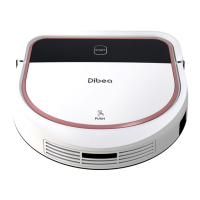
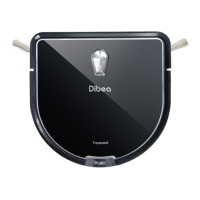
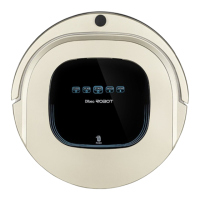
Robotic Vacuum Cleaner
Model:R701
User Manual

Questions and Answers

  • T
    Tamara ReidAug 10, 2025
    What to do if my dibea Vacuum Cleaner shows error L01x?
    • K
      Katherine PattersonAug 11, 2025
      If your dibea Vacuum Cleaner displays error code L01x, it indicates the fan is overloaded. First, check if the fan is obstructed. Then, clean the dust bin to ensure proper airflow and resolve the issue.
  • J
    Jeremy NobleAug 17, 2025
    How to fix dibea Vacuum Cleaner error Exx8?
    • J
      Jessica SullivanAug 17, 2025
      If your dibea Vacuum Cleaner displays error code Exx8, it means the front bumper right infrared sensors are detecting an obstacle. Clean the front bumper sensor lens to ensure it can properly detect its surroundings.
  • J
    Jose MckinneyAug 25, 2025
    What to do if dibea R701 Vacuum Cleaner shows L0x1 error?
    • D
      dixonjaredAug 26, 2025
      If your dibea Vacuum Cleaner displays error code L0x1, it indicates that the left wheel is overloaded. Check the left wheel to see if it's stuck or tangled with any obstacles and remove them.
  • C
    cscottSep 1, 2025
    Why does my dibea R701 show error Exx9?
    • K
      Kristina ParkerSep 2, 2025
      If your dibea Vacuum Cleaner displays error code Exx9, it means the left anti-drop sensor detects a cliff, and the front bumper right infrared sensors detect an obstacle. You should clean both the front sensor lens and the bottom anti-drop sensor lens.

Summary

Safety Instructions for Dibea Robotic Vacuum Cleaner

General Safety Precautions

Essential safety warnings and guidelines to ensure safe operation and prevent damage to the product or user.

Important Notes and Cautions

Key notes and cautions regarding product usage, maintenance, and potential hazards.

Dibea R701 Product Operation Guide

Battery Charging Procedures

Instructions for charging the robot's battery and tips for extending battery life.

Starting Up, Standby, and Sleeping Modes

Guidance on how to start, put the robot on standby, or switch to sleeping mode.

Scheduling Robot Operation

Steps for setting a cleaning schedule using the robot's panel or remote control.

Dibea R701 Advanced Operations

Four Cleaning Modes Explained

Detailed explanation of the four available cleaning modes: Random, Spiral, Edge, and Zig-Zag.

Dibea R701 Maintenance and Cleaning

Installing and Using the Water Tank

Guide on how to install, fill, and use the water tank for mopping.

Dibea R701 Specifications and Troubleshooting

Troubleshooting Sensor Error Codes

Lists common sensor error codes, their causes, and suggested solutions.

Dibea R701 Troubleshooting and Service

Troubleshooting Motor Error Codes

Details motor error codes, their causes, and solutions for motor-related issues.

dibea R701 Specifications

General IconGeneral
TypeRobotic Vacuum Cleaner
Battery Capacity2600 mAh
Suction Power1200 Pa
Charging Time4-5 hours
Voltage14.4V
Dust Collection TypeBagless
Form FactorRound
Run Time/Working Time120 minutes
Noise Level60 dB
Filter TypeHEPA Filter
FeaturesScheduled Cleaning, Anti-collision

Related product manuals