13 14
Product Maintenance
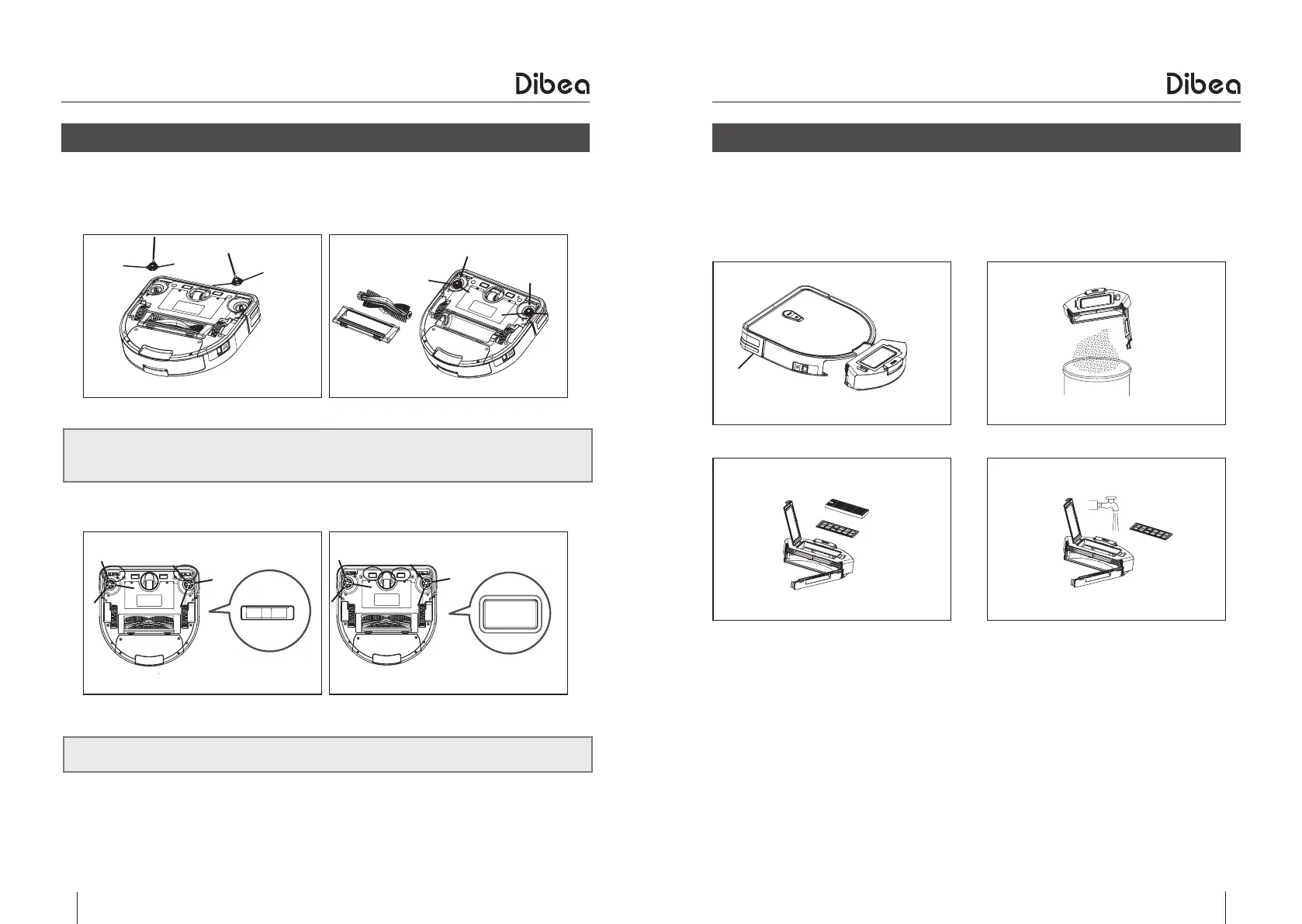
Clean the side brushes and roller brush when they get dirty and replace them once
damaged.
Gently pull and take out the side brushes as showed above.
Remove the roller brush guard and take out the roller brush as showed below.
Clean the charging poles and cliff sensors with soft cleaning cloth or tool.
●
Side & roller brush cleaning
Product Maintenance
●
Dust bin & filter cleaning
●
Take out the dust bin and check if the suction is blocked.
●
Open the dust bin and empty it.
●
Take out the HEPA filter and primary filter and clean them
●
Install the filters correctly after drying them
●
Empty the dust bin after every use
●
Do not wash the HEPA filter with water
●
Make sure filters are dry before installing
●
Do not dry the filters under strong sunlight
●
Filters are replaceable parts



 To Next Page