Need help?
Do you have a question about the DIEBOLD NIXDORF BEETLE A Series and is the answer not in the manual?
Declares compliance with FCC Part 15 limits for Class A digital devices.
Declares compliance with essential requirements of Directive 2014/53/EC.
Instructions for installation and operation to meet RF exposure compliance.
Safety precautions regarding environment, power, connections, disposal, and batteries.
Device complies with FCC Part 15 rules, subject to two conditions.
Instructions for cleaning the system housing and screen.
General warranty exclusions and information on ordering spare parts.
Warnings and instructions for replacing and disposing of the lithium battery.
Lists available processor options, memory, and M.2 SSD configurations.
Details the Whiskey Lake and Coffee Lake processor options.
Specifies the DDR4 memory types and capacity.
Lists the available M.2 SSD storage capacities.
Recommendations for setting up an ergonomic terminal workplace.
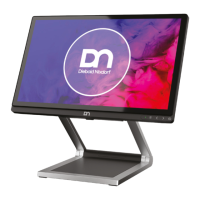
Identifies components visible from the front of the system with stand.
Explains the front panel indicators, buttons, and their functions.
Benefits and characteristics of projected-capacitive touch screen technology.
Provides instructions on how to safely clean the touch screen.
Presents dimension drawings for desktop and wall mount versions.
Details dimensions for the desktop installation.
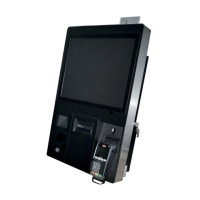
Details dimensions for the wall mount installation.
Specifies the necessary clearance around the system for ventilation.
Outlines criteria for selecting an appropriate installation site.
Steps for installing the system onto the standard stand.
Instructions for installing the system onto a stand with an I/O hub.
Instructions for installing the system onto a stand with cable covers.
Lists and describes ports on the Whiskey Lake motherboard.
Lists and describes ports on the Coffee Lake motherboard.
Instructions for connecting various cables to the system.
Procedures for safely disconnecting different types of cables.
Steps for removing the system fan.
Steps for installing the system fan.
Details on storage media for the Whiskey Lake motherboard.
Instructions for replacing the Solid State Disk (SSD).
Instructions for replacing the RAM modules.
Details on storage media for the Coffee Lake motherboard.
Instructions for replacing the Solid State Disk (SSD).
Instructions for replacing the RAM modules.
Lists required tools and components for wall mounting.
Recommendations for optimal mounting height for user comfort.
General warning and steps for professional wall installation.
Steps to securely attach the wall mount back plate to the wall.
Instructions for securely attaching the mounted system to the wall.
Steps for installing the D1101 display using an adapter kit.
Steps for installing the Waiter Lock module for system access control.
Information on the MSR module for card reading.
Steps for installing the Magnetic Swipe Card Reader.
Steps for installing the NFC Module for system access control.
Information about the 2D Barcode Reader module.
Steps for installing the 2D Barcode Reader module.
Instructions for powering on and initial system startup.
How to interpret LED indicators for error reporting.
Explains POST codes and their meanings during boot-up.
Technical specifications for Whiskey Lake models.
Technical specifications for Coffee Lake models.
Specifications for the AC power adapter.
Specifications and features of the I/O Hub.
List of approved printers compatible with the system.
Glossary of abbreviations used in the manual.
 General
| Brand | DIEBOLD NIXDORF |
|---|---|
| Model | BEETLE A Series |
| Category | Touch terminals |
| Language | English |

 To Next Page