Need help?
Do you have a question about the DIEBOLD NIXDORF BEETLE A1150 and is the answer not in the manual?
FCC Class A declaration, energy efficiency notes, and wireless conformity declaration.
RF exposure warnings, information, important notes, and general safety precautions.
Declaration by Diebold Nixdorf Singapore PTE. LTD. and FCC compliance statement.
About this manual, care instructions for the system, and recycling guidelines.
Warranty exclusions and important safety notes regarding Lithium Battery replacement.
Instructions for unpacking the system and checking the delivery contents.
Details on processor types, memory options, and M.2 SSD options for the Beetle A Series.
Guidelines for setting up an ergonomic terminal workplace, avoiding glare.
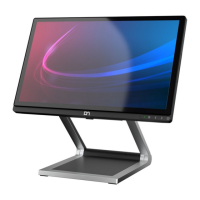
Front and back views of the Beetle A Series with stand, identifying key components.
Information on the AC power adapter and front panel indicators/buttons.
General information, usage instructions, and cleaning guidelines for the touch screen.
Detailed dimensions for desktop and wall mount versions of the Beetle A Series.
Required operation space and general installation site requirements.
Step-by-step guide for installing the system to a standard stand.
Procedure for installing the system to a stand that includes an I/O Hub.
Procedure for installing the system to a stand with cable covers.
Detailed description of connector panel ports for Whiskey Lake and Coffee Lake motherboards.
Instructions for connecting and safely disconnecting various cables.
Instructions for removing and installing the system fan.
Steps for replacing Solid State Disks (SSD) and RAM modules.
Details on wall mount kit components, required tools, and site preparation.
Step-by-step instructions for securely mounting the system to a wall.
Instructions for installing the D1101 as a second display using an adapter kit.
Procedure for installing the Waiter Lock module for system access control.
Instructions for operating, cleaning, and installing the MSR.
Procedure for installing the NFC Module for system access control.
Steps for removing and installing the I/O Hub accessory.
Instructions for installing the 2D Barcode Reader module.
Guide to system startup, self-test, and BIOS default boot order.
Explanation of error reporting via LED blinks and an error code table.
Reference for POST codes emitted as LED blinks during BIOS boot-up.
Technical specifications for Whiskey Lake (Sx-motherboard) models.
Technical specifications for Coffee Lake (R3/R4 motherboard) models.
Technical details for the AC Power Adapter and NFC Module.
Specifications for the I/O Hub, including ports and total available power.
List of approved printers compatible with the Beetle A Series.
 General
| Resolution | 1024 x 768 pixels |
|---|---|
| Processor | Intel Celeron |
| RAM | 4GB |
| Storage | SSD |
| Operating System | Windows, Linux |
| Connectivity | Ethernet |
| Touch Technology | Projected Capacitive (PCAP) |
| Ports | USB |
| Power Supply | External |

 To Next Page