
 Need help?
Do you have a question about the DIEBOLD NIXDORF DN Series and is the answer not in the manual?
Explains symbols like warning, note, and action indicators used in the manual.
Emphasizes reading safety notes carefully before performing any work on the device.
States the product's suitability for indoor use and liability limitations under extreme conditions.
Differentiates between operation personnel and repairing personnel and their responsibilities.
Details warning symbols, operational limits (elevation, climate), and power supply requirements.
Advises following manual notices, proper connection methods, stable placement, and avoiding humidity/dust.
Warns about high temperatures, electrical shock from 220V AC power, and handling precautions.
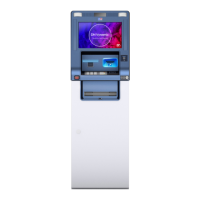
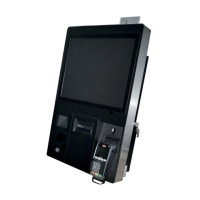
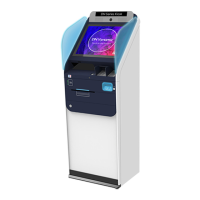
Lists the available device types: DN Series K30 (without scanner) and K31 (with scanner).
Provides a labeled diagram of the external components of the DN Series K30/K31.
Shows a labeled diagram of the internal components visible when the aperture is open.
Illustrates and labels the moving parts of the system, including doors, printer, and trays.
Provides step-by-step instructions and images for opening and closing the front door.
Details the procedure for opening and closing the customer panel cover using images.
Explains the steps for opening and closing the back door of the device.
Describes the procedure for rotating the printer, including opening steps.
Provides instructions for pulling out and pushing in the device carriage.
Details how to pull out and push in the paper tray.
Instructions for operating with consumables like paper.
Explains the process of importing paper into the printer with notes and steps.
Details the meaning of LED indicators for paper status in the statement printer.
Provides steps for removing paper from the reject bin using the device carriage.
Explains how to switch the device on and off, including notes on waiting periods.
Guides on inserting identification cards correctly into the card reader.
Explains how to adjust the equipment's volume using a button on the front door.
Instructs on how to place and align a 2D barcode for scanning.
Details the steps for pulling out and pushing in the operator keyboard.
Describes the functions of the customer connection box USB in controlling internal signal devices.
Provides a labeled diagram and list of plugs for the customer connection box.
Presents a wiring diagram for relays and input ports of the customer connection box.
Shows the location of the type label on the device.
Provides a labeled diagram of the function elements and controls of the TP20 printer.
Details the printer control panel, including the status display, TEST key, and EJECT key.
Explains the functions of the EJECT key and TEST key for printer reset and testing.
Provides instructions and notes on how to replenish paper for the TP20 printer.
Details the steps for removing paper from the TP20 printer using the EJECT key.
Explains how status display messages indicate errors, warnings, or normal operation.
Lists error messages, their codes, and explanations/actions for the printer.
Lists loader messages, their codes, and meanings for the printer.
Directs users to contact system administrators or service departments for other messages.
Provides detailed steps with images for clearing a paper jam within the printer drum.
Guides on how to remove paper jams from the document feed unit of the printer.
Explains how to clean sensors to fix poor print quality or jams due to marking errors.
Describes how to initiate a test print using the TEST key on the printer control panel.
Explains the meaning of various parameters shown in the TP20 test document.
Provides instructions for cleaning and caring for the printer, including suggested cleaning agents.
Details the thermal paper specifications for the TP20 printer, including type, weight, and dimensions.
Provides a labeled diagram of the controls for the standard version of the card reader.
Explains the purpose and function of the Security Access Module (SAM) in the card reader.
Guides on how to insert the SAM module into the card reader.
Provides instructions for removing an arrested ID card, applicable to the ACT version.
Details the correct procedure for inserting an ID card into the card reader.
Explains that retained ID cards are transported to the card reject box.
Outlines the process and interval for cleaning the card reader using a cleaning card.
Provides detailed steps for cleaning the card reader, including using a cleaning card.
General troubleshooting information for the card reader.
Guides on how to manually transport cards within the reader, including opening the shutter.
Describes the card reject box, its capacity, and position.
Details the procedure and products for cleaning the exterior shell of the equipment.
Explains how to clean the EPP (input) keyboard, emphasizing no residual dirt.
Provides instructions for cleaning the display screen, specifying cleaning products.
Details the cleaning procedure and products for the document scanner glass and confetti.
Lists the navigation materials (consumables) for the statement printer, including specifications.
Provides technical specifications for the device.
Lists recommended cleaning materials for general use and special components.
Discusses environmental aspects of the product and its lifecycle.
 General
| Brand | DIEBOLD NIXDORF |
|---|---|
| Model | DN Series |
| Category | Touch terminals |
| Language | English |


 To Next Page
