K-two User Manual
17
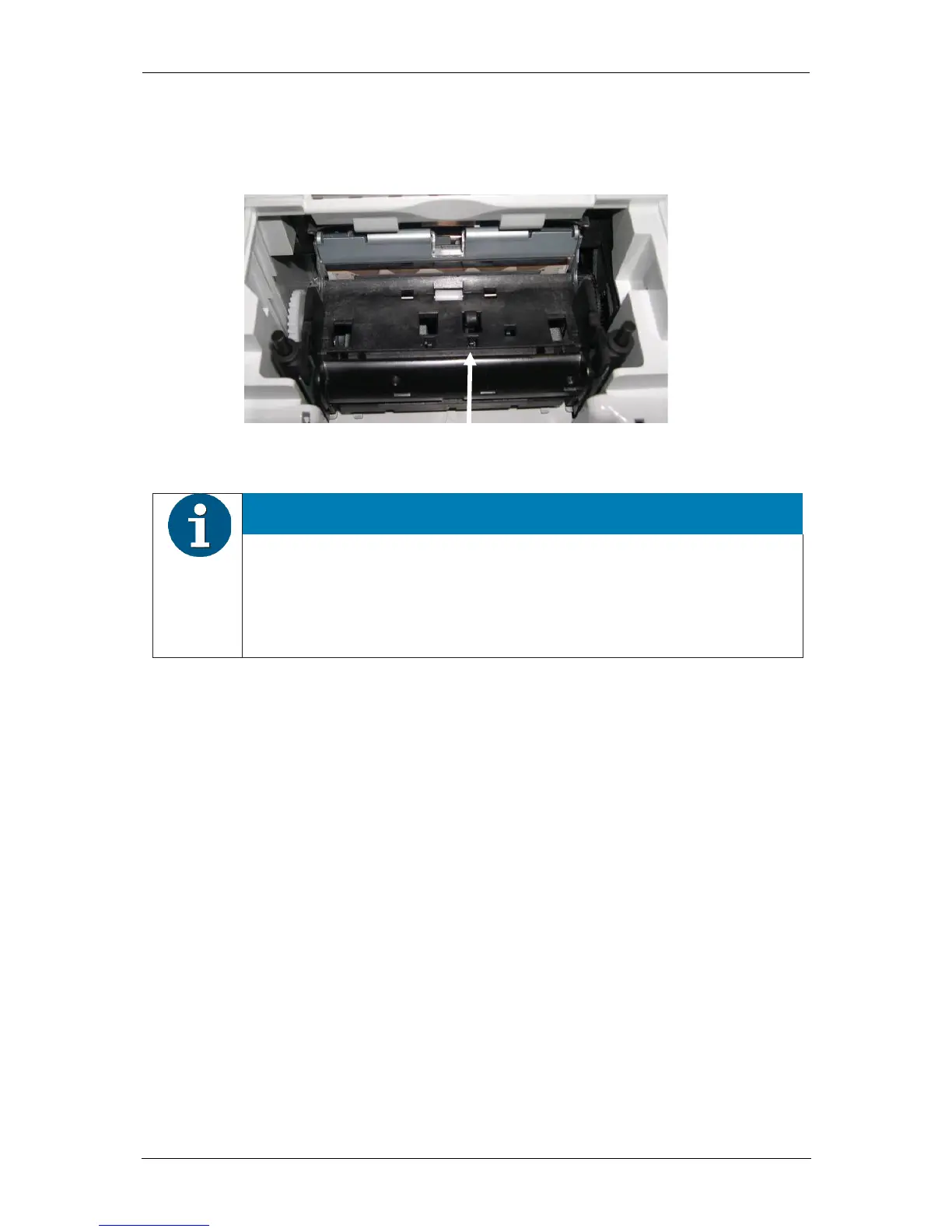
Examine the print head. If there is still dirt remaining, repeat the cleaning process. The
relevant and important thermocouple zone can be identified by the thin line that is criss-
crossed by wires.
HINWEIS
Care not to damage the out of paper sensor when cleaning the print head.
Do not touch the rubber roller with your fingers.
Premature malfunctions may occur if the print head is not cleaned properly.
Wait until the isopropyl alcohol has evaporated.
Rotate the rubber roller by hand as you clean using the gear wheel on the side; make sure to
clean the entire roller.
Insert the (new) paper roll and close the cover.
Print a test page (see application manual) and check the print quality (density, alignment and
uniformity).



 To Next Page