Zenyth 2.5 Automation Manual-Rev. A06
Page 2 of 36
1. INSTALLING HMI (IR ONLY)
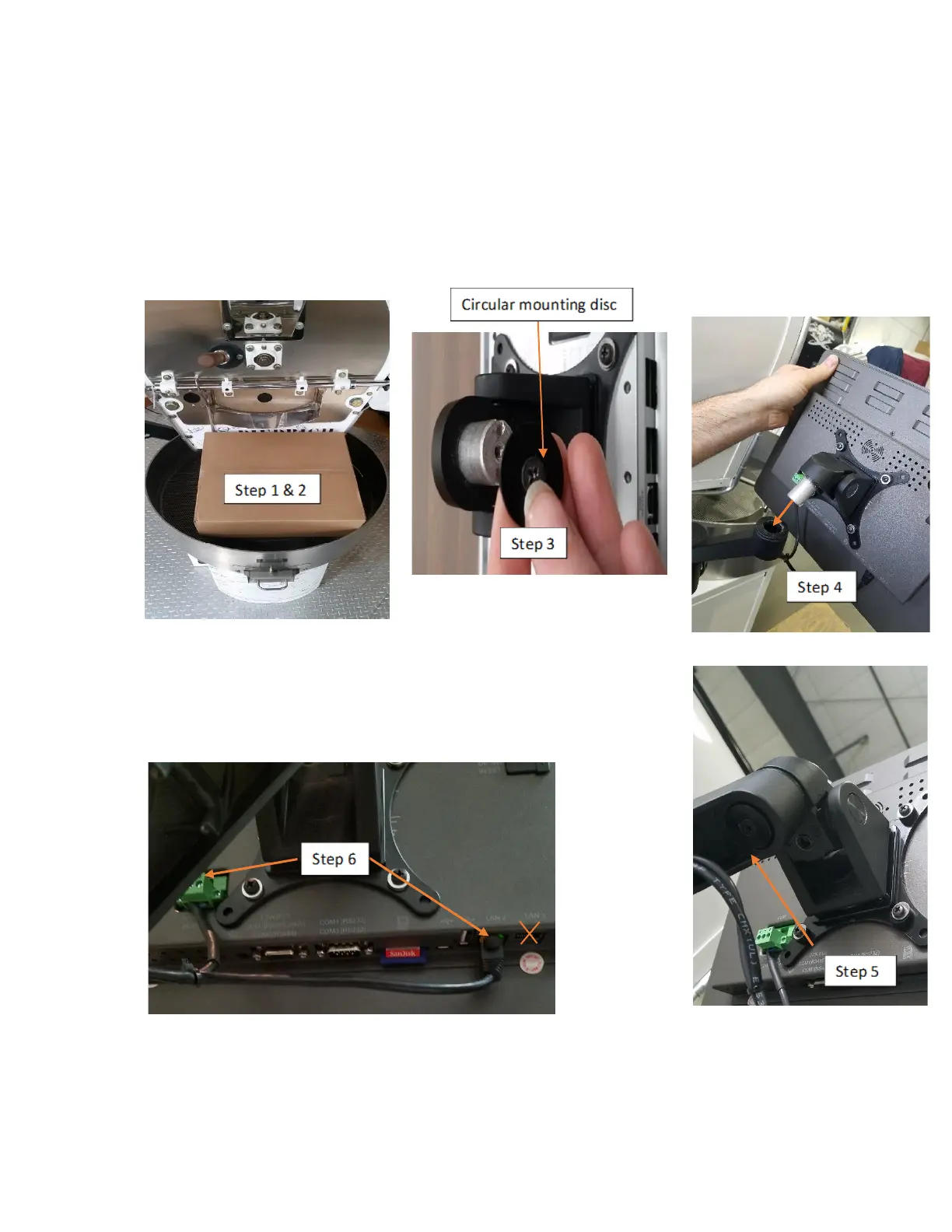
1. Remove the monitor box from the cooling bin.
2. Remove the monitor from the box.
3. Using a Phillips screwdriver, remove the black circular mounting disc from the monitor.
4. Insert the monitor into the monitor arm.
5. Using the screwdriver, re-install the mounting disc in the
post of the monitor post and fasten the screw.
6. Route and plug in the ethernet (LAN2 only) and power cable in to
the monitor – ready for use.



 To Next Page