EasyManua.ls Logo

DieHard 200.713121 - User Manual

DieHard 200.713121
16 pages
Print Icon
To Next Page IconTo Next Page
Loading...
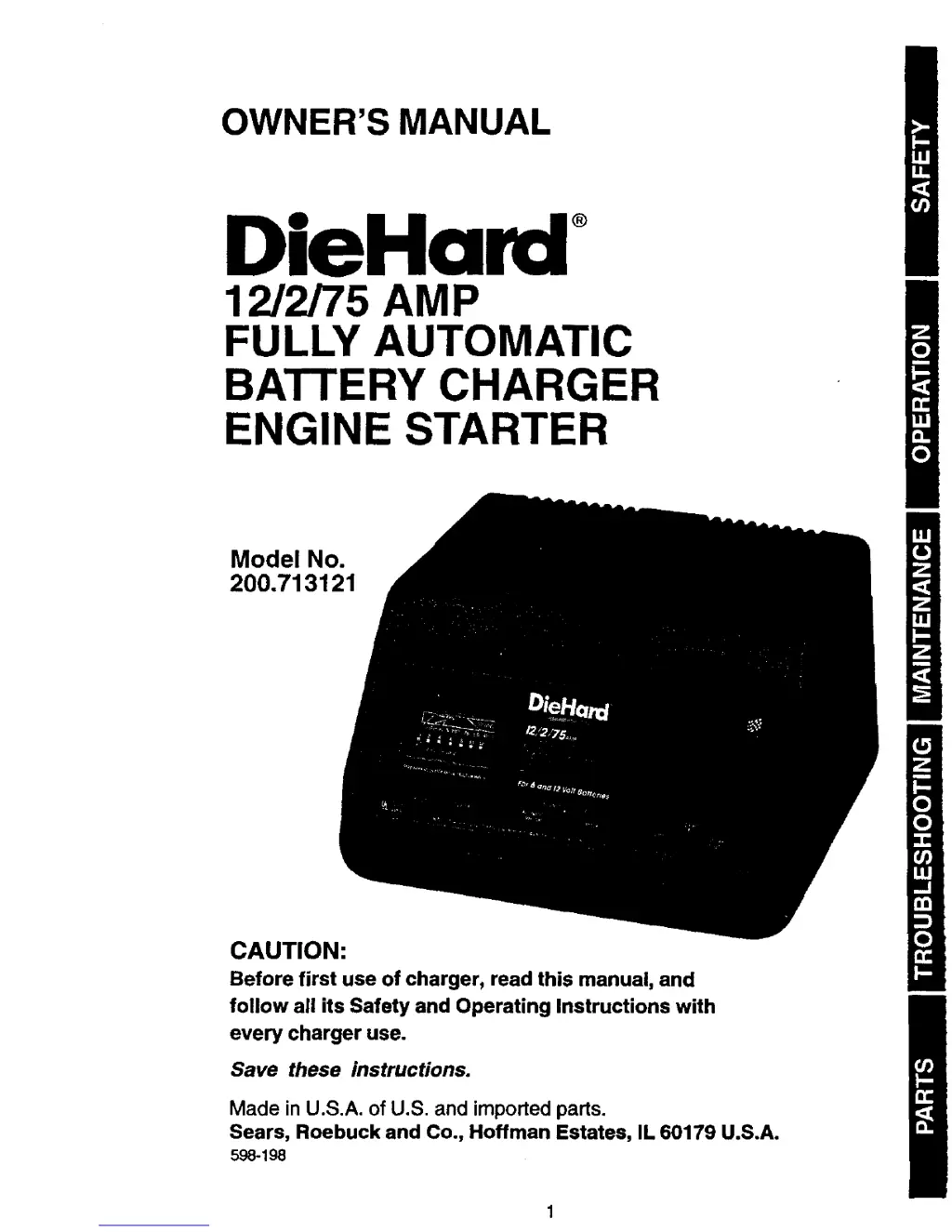
OWNER'S MANUAL
®
12/2/75 AMP
FULLY AUTOMATIC
BATTERY CHARGER
ENGINE STARTER
Model No.
200.713121
CAUTION:
Before first use of charger, read this manual, and
follow all its Safety and Operating Instructions with
every charger use.
Save these instructions.
Made in U.S.A. of U.S. and imported pads.
Sears, Roebuck and Co., Hoffman Estates, IL 60179 U.S.A.
598-198

Questions and Answers

  • C
    Corey RobertsJul 30, 2025
    What to do if the circuit breaker in my DieHard Battery Charger cycles on and off?
    • C
      Carolyn WhiteJul 30, 2025
      If the DieHard Battery Charger's circuit breaker cycles on and off with a clicking sound while in the MANUAL setting, it could be due to shorted battery clamps, a shorted battery, or reversed charger leads on the battery. First, separate the clamps. This cycling indicates that the current draw is too high. Inspect the cables for wear and replace them if necessary. A Sears technician can test the battery for shorts. Ensure that the connections are correctly made.
  • B
    browntonyAug 5, 2025
    Why is there a short start cycle when cranking the engine with my DieHard 200.713121?
    • A
      Amber MooreAug 5, 2025
      A short start cycle when cranking the engine with the DieHard Battery Charger can occur if you're drawing more than 75 amps for 7 seconds or less, or if you're not waiting 4 minutes (240 seconds) between cranks. The crank time varies with the amount of current drawn from the charger. If cranking draws more than 75 amps, crank time may be less than 7 seconds. Be sure to wait 4 minutes before the next crank.
  • A
    Aaron McmahonAug 11, 2025
    How to troubleshoot no ammeter reading on a DieHard Battery Charger?
    • M
      Michael KingAug 12, 2025
      If there is no ammeter reading on your DieHard Battery Charger, it could be due to several reasons. The clamps may not be making a good connection, especially if the battery is severely discharged. Ensure good connection at the battery and that the clamps and posts are clean. If the battery is severely discharged, it may not accept an AUTOMATIC charge; use the MANUAL setting. Also, the ammeter needle will indicate little activity at the 2-amp charge rate. Check the AC outlet and extension cords for a loose-fitting plug. Finally, check for an open fuse or circuit breaker supplying the AC outlet.
  • R
    Ryan AdkinsAug 17, 2025
    What to do if the ammeter reads less than selected charge rate on my DieHard 200.713121 Battery Charger?
    • T
      Timothy JacksonAug 17, 2025
      If the ammeter reads less than the selected charge rate when charging with your DieHard Battery Charger, it could be due to a few reasons. The extension cord might be too long or the gauge too small. Alternatively, the battery may have a weak cell or a sulfated plate, or it might already be partially charged. Try using a shorter or heavier extension cord. A sulfated battery will eventually take a normal charge if left connected. If the battery still won't take a charge, have it tested by a Sears technician. You can also continue charging the battery.
  • J
    Jesse DouglasAug 23, 2025
    Why does my DieHard Battery Charger make a loud buzz or hum?
    • L
      Lisa RollinsAug 23, 2025
      If your DieHard Battery Charger makes a loud buzz or hum, it could be due to transformer laminations vibrating (buzz) or a shorted diode (hum). You can continue charging, as the buzz is not abnormal. However, it is recommended to have the charger tested by a qualified technician.

Summary

Safety Precautions

Important Safety Instructions

Crucial precautions for safe operation and preventing hazards.

Personal Safety Precautions

Personal protective measures and safety advice when working with batteries.

Before Using Your Battery Charger

Assembling Your Charger

Instructions for attaching cord wrap posts for cable storage.

Plugging It In

Guidance on connecting the charger to a power outlet safely.

Using an Extension Cord

Recommendations and guidelines for using extension cords.

Operation Guide

Preparing Your Battery for Charging

Steps to prepare a lead-acid battery before charging.

Using Your Battery Charger

Instructions on how to properly use the battery charger.

Setting the Controls

How to adjust switches for voltage, charge type, and rate.

Charging Your Battery

Detailed steps for charging a battery inside or outside a vehicle.

Using the Engine Start Feature

How to use the charger to jump-start a vehicle engine.

Calculating Charge Time

Battery Rating Method

Method for estimating charge time using battery rating specifications.

Voltmeter Method

Method for estimating charge time using voltmeter readings.

Maintenance and Care

Maintenance Procedures

Steps for cleaning clamps and coiling cords for proper charger upkeep.

Troubleshooting Guide

Parts Identification

Wiring Diagram

DieHard 200.713121 Specifications

General IconGeneral
Voltage12V
TypeAutomatic
Cable Length6 ft
Warranty1 year
Battery TypeAGM, Gel
Amperage2A
Charging Current2A/10A/20A

Related product manuals