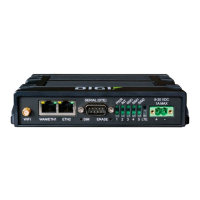
For the WR44-G, -E and -U models, the three indicators labelled
SIGNAL illuminate to indicate the GSM signal strength as follows:
None illuminated < -113 dBm (effectively no signal)
1 LED illuminated >= -112 dBm and <= -87 dBm (weak)
2 LED‟s illuminated >= -86 dBm and <= -71 dBm (medium)
3 LED‟s illuminated >= -70 dBm and <= -51 dBm (strong)
For the WR44-C the signal strengths are as follows:
None illuminated < -116 dBm (effectively no signal)
1 LED illuminated >= -115 dBm and <= -104 dBm (weak)
2 LED‟s illuminated >= -103 dBm and <= -94 dBm (medium)
3 LED‟s illuminated >= -93 dBm and <= -83 dBm (strong)
SIM Sockets
The two sockets at the right side of the front panel labelled SIM 1 and SIM 2 are for use
with the Subscriber Identification Module(s) (SIMs) that you will receive from your service
provider(s).
Details of how to insert SIM cards correctly are given in section 2 below.



 To Next Page