WR44 Series Installation Guide
5
1 Introduction
WR44 series routers are compact IP routers that facilitate the transmission of data over
different types of “cellular” networks depending on the model.
The routers can be configured either by using commands entered at the serial port (much
like a modem), or via the built-in Web interface. We recommend that you use the Web
interface whenever possible.
In addition to many standard LAN and Internet protocols such as PPP, the WR44 series
products provide a combination of powerful but easy to use configuration, management
and diagnostic tools. This makes them simple and cost-effective solutions for migrating
existing terminal or telemetry equipment, which use wired networks (PSTN, ISDN, etc.), to
wireless operation.
1.1 Front Panel Features
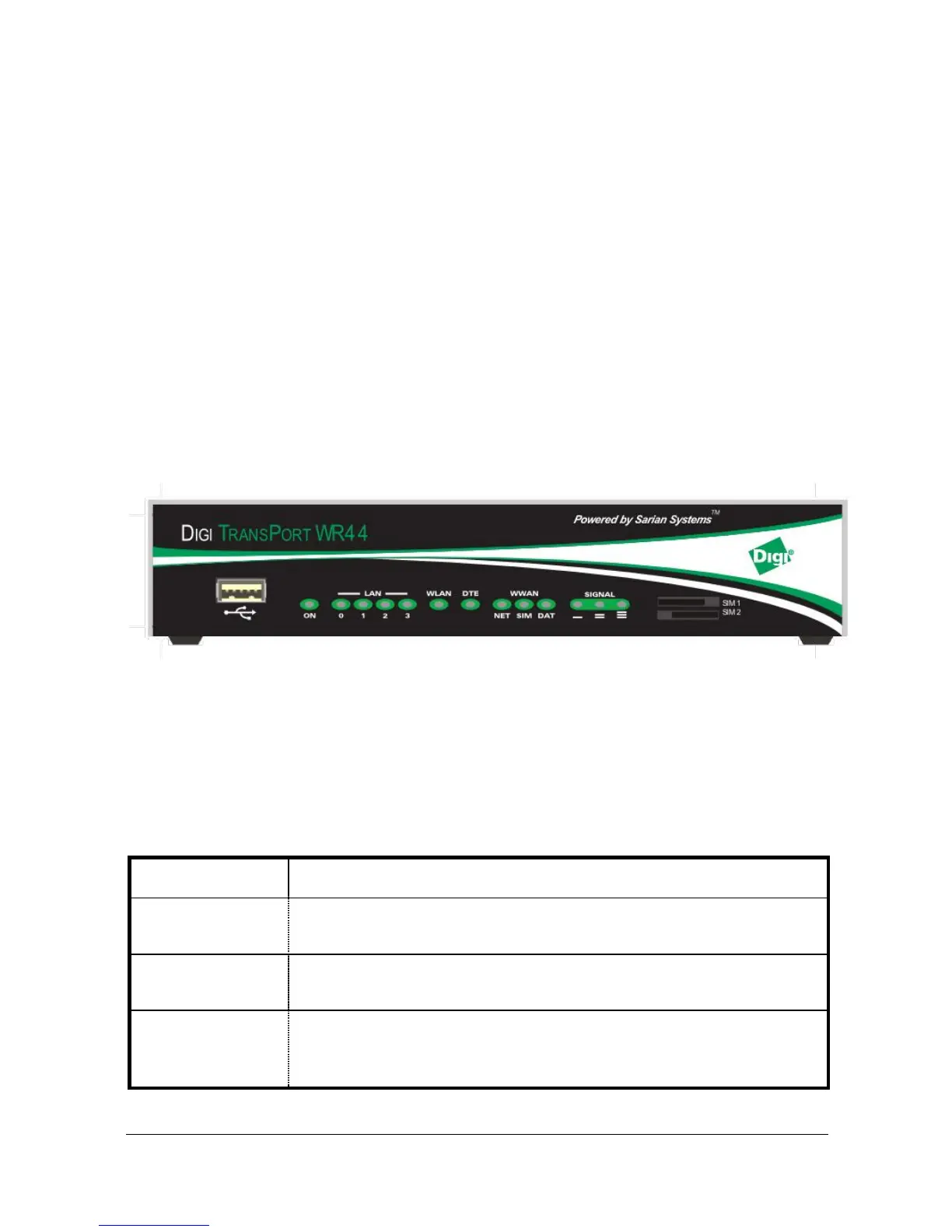
The front panel of the unit incorporates the USB host connector, 13 LED indicators and
the two SIM card-holders as shown in the following illustration:
USB Host Connector
The USB host connector may be used to connect compatible USB 2.0 client devices such
as memory sticks, serial adapters, etc. Note that the total current available to power USB
devices is 0.5A.
Status Indicators
The status indicators operate as follows:



 To Next Page