WR44 Series Installation Guide
7
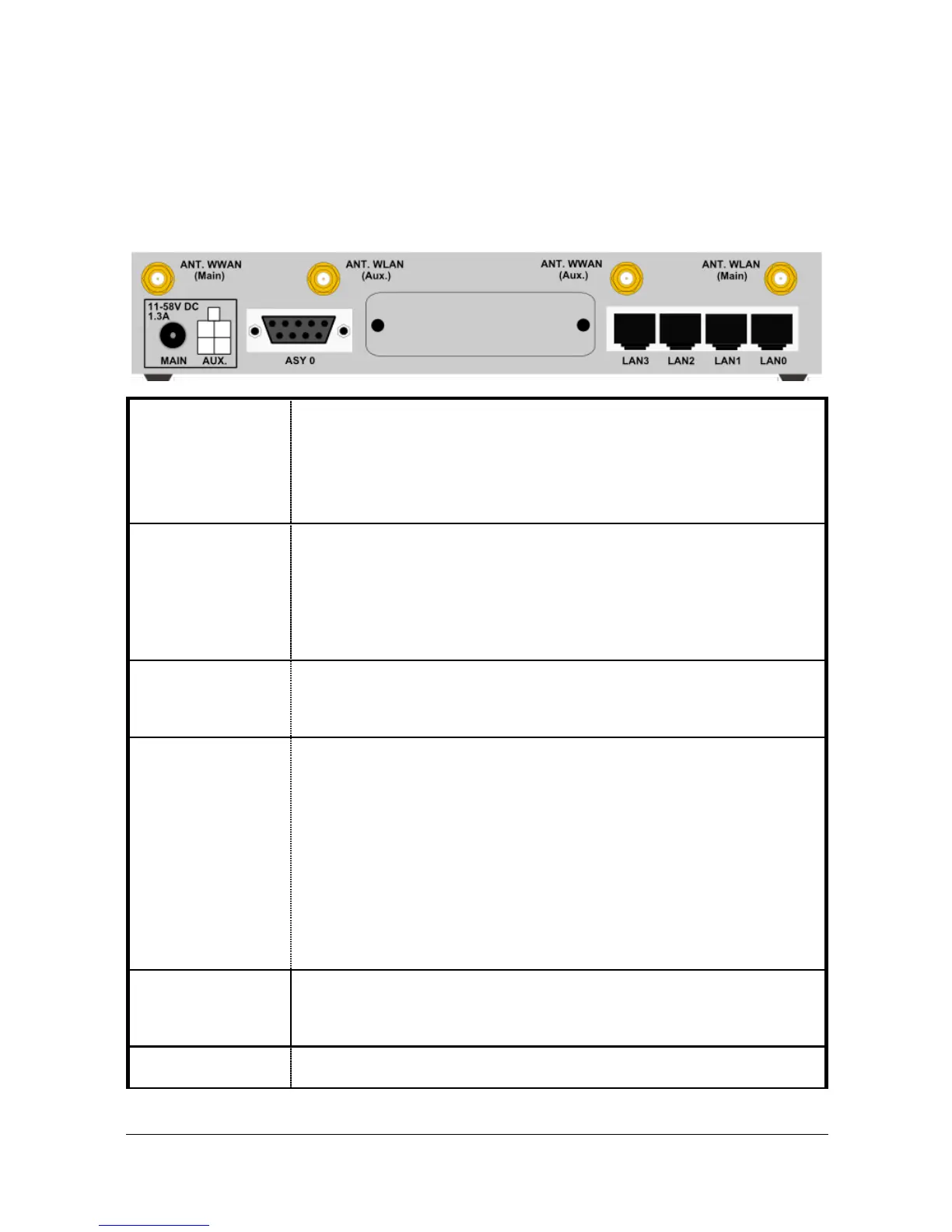
1.2 Rear Panel Features
The rear panel of the unit incorporates a number of connectors as described as shown
below (model shown with no options fitted):
This socket is used to connect the unit to the power supply using
the 12V DC mains adapter.
Alternatively this socket can be used to connect the unit to an
alternative 11-58V DC power supply (not supplied) using a fused
power cable which can be purchased separately.
This socket can be used to connect the unit to an alternative 11-
58V DC power supply (not supplied) using a fused power cable
which can be purchased separately. This cable also contains two
programmable IO signal lines, one is an input signal, the other is
an input/output signal. See section 4 for more information on the
programmable IO signal lines.
This 9 way D socket provides an asynchronous RS232 serial port
which may be used to connect the router to a compatible serial
device.
This SMA connector is used to fit the wireless antenna. The
WR44-E model are supplied with a single stub antenna which
should be fitted to this connector.
The WR44-U model both support “diversity” antenna capability to
improve performance and are supplied with two stub antennas.
One of these should be fitted to this connector and the other to
the ANT. (AUX) connector.
Note: Small stub antennas are provided as standard but a range
of suitable alternatives for use in different applications may be
purchased separately.
This SMA connector is used on the WR44-U model to fit the
second antenna supplied with the unit. On models that do not
support diversity antennas this connector will not be present.
This male SMA connector is used to fit the wireless LAN antenna.
(Models with WLAN option fitted only)



 To Next Page