
 Need help?
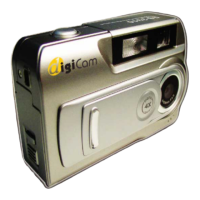
Do you have a question about the DigiCam ES3310 and is the answer not in the manual?
Step-by-step guide on how to properly insert AA batteries into the digital camera for operation.
Instructions for inserting and removing optional SD memory cards to expand storage capacity.
Guide on how to turn on the digital camera for the first time and begin using its basic functions.
Step-by-step instructions on how to compose and capture still photographs using the camera.
Instructions on how to set the camera to Movie Mode and record short video clips.
Guide on accessing and navigating the Camera Mode Options Menu to adjust various settings.
Detailed explanation of advanced settings including Exposure, White Balance, Sharpness, and Video Format.
Guide on adjusting exposure compensation to correctly expose subjects in backlit or bright background situations.
Guide on formatting memory cards (FAT16) to ensure compatibility and proper function with the camera.
Instructions on how to delete unwanted photos and movie clips to free up memory space.
Detailed steps for deleting individual images/clips or all content from the camera's memory.
Instructions on how to connect the digital camera to a television using the TV Out port.
Guide on installing the necessary software driver from the CD-ROM for computer connectivity.
Instructions on connecting the camera to a computer via USB cable for data transfer.
Explanation of Mass Storage Mode for accessing camera files like a removable drive.
Troubleshooting steps for issues related to the camera not turning on, such as battery problems.
Detailed technical specifications of the digital camera, including sensor, resolution, and dimensions.
Lists the minimum system requirements for the computer to use the camera's software and features.
 General
| Optical Zoom | 3x |
|---|---|
| Digital Zoom | 4x |
| Image Sensor | CCD |
| LCD Screen Size | 2.4 inches |
| Storage Media | SD Card |
| Battery Type | 2x AA batteries |

 To Next Page