2
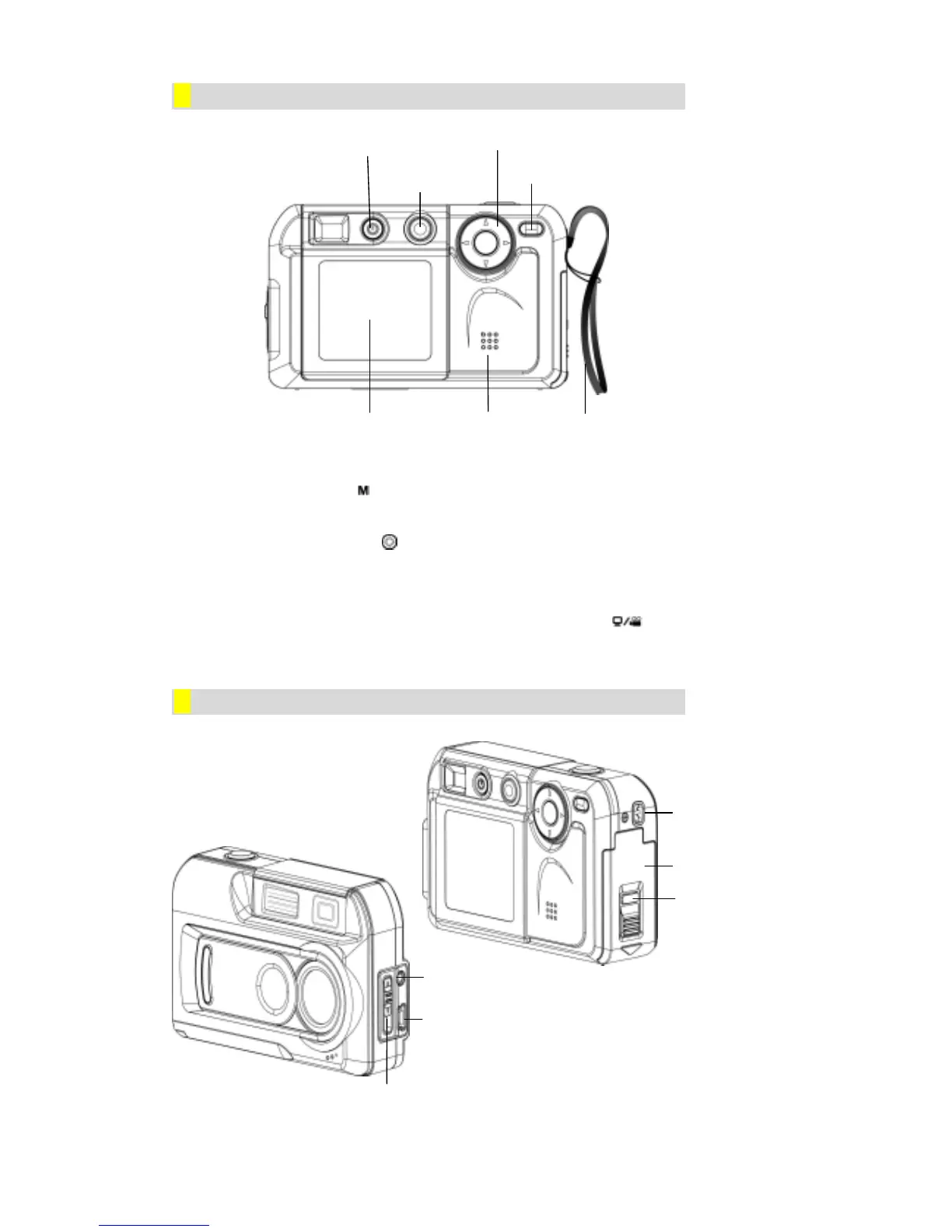
ϪRear View
Ö The mode button ( ) is used to switch between the two main operation modes. Turn
to section 3, Camera Mode, and section 4, Playback Mode, for full details
Ö The direction button (
) is used in Camera Mode for general setting, and in the
Playback Mode to navigate through menus. Turn to section 3, Camera Mode, and
section 4, Playback Mode, for full details
Ö For information on using the PC Mode/Movie button (
), turn to Section 6,
Transferring Data to a Computer
ϪSide View
TV Out Port
USB Port
Macro Switch
Battery / SD Card
Cover
E


 To Next Page