SD9 - Getting Started
1-18
1.9.3 Auxiliaries .............................................................................
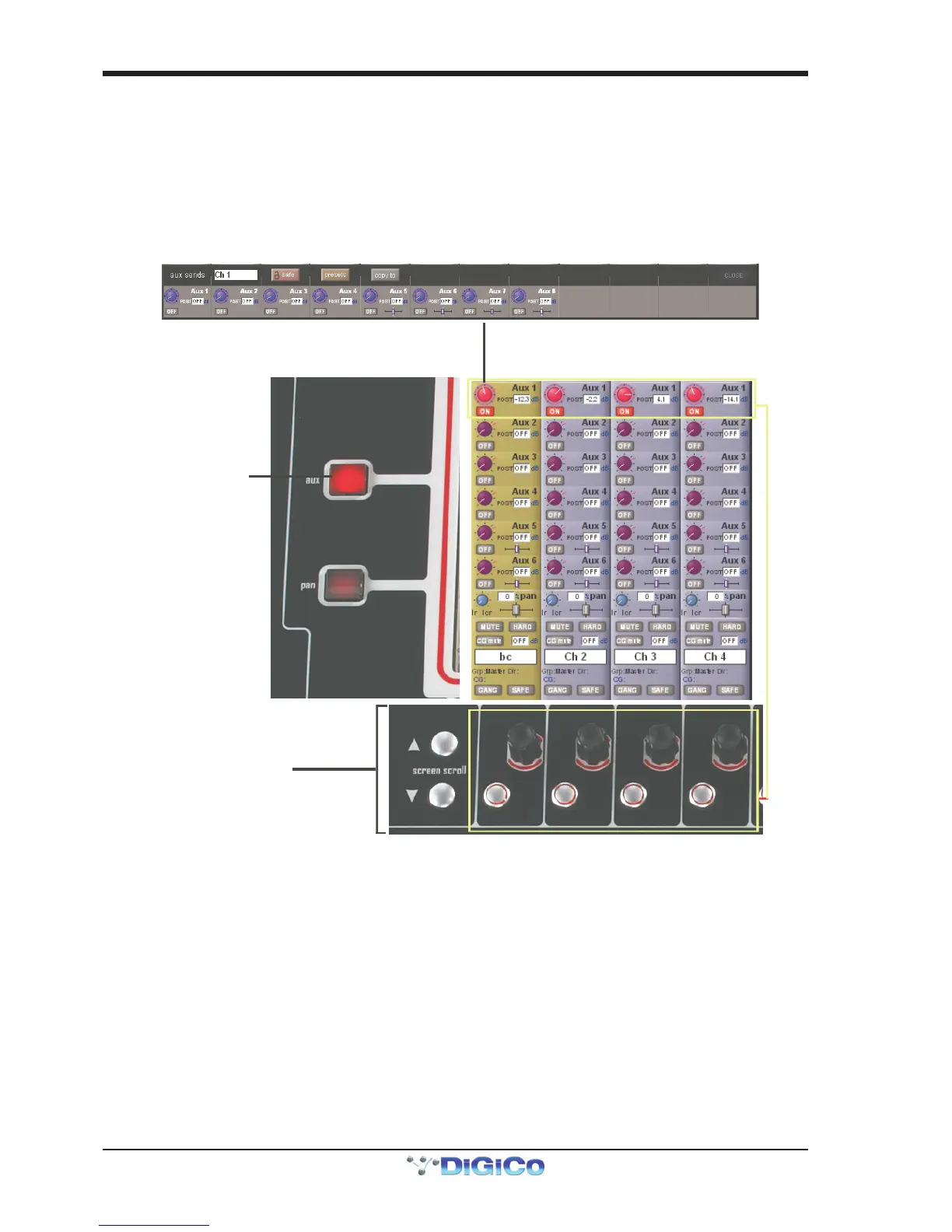
The auxiliaries can be accessed by touching the Aux Quick Select button, the auxiliary row on screen or using the Screen Scroll
buttons.
Using either of these methods, the highlighted auxiliaries on the input screen will change. The row of rotary controls and switches
beneath the screen are used as auxiliary sends, pans (with 2nd Function ON), On/Off and pre/post switches (with 2nd Function
ON).
Touching the selected Aux row on the selected channel will open the Expanded Auxes panela nd the row of rotary controls beneathe the
screen will be assigned to each of the Aux Sends on the selected channel.
Selecting another channel with the Expanded Auxes panel open will display the Expanded Auxes panel for that channel.



 To Next Page