Appendix A: Using DigiTest 25
appendix a
Using DigiTest
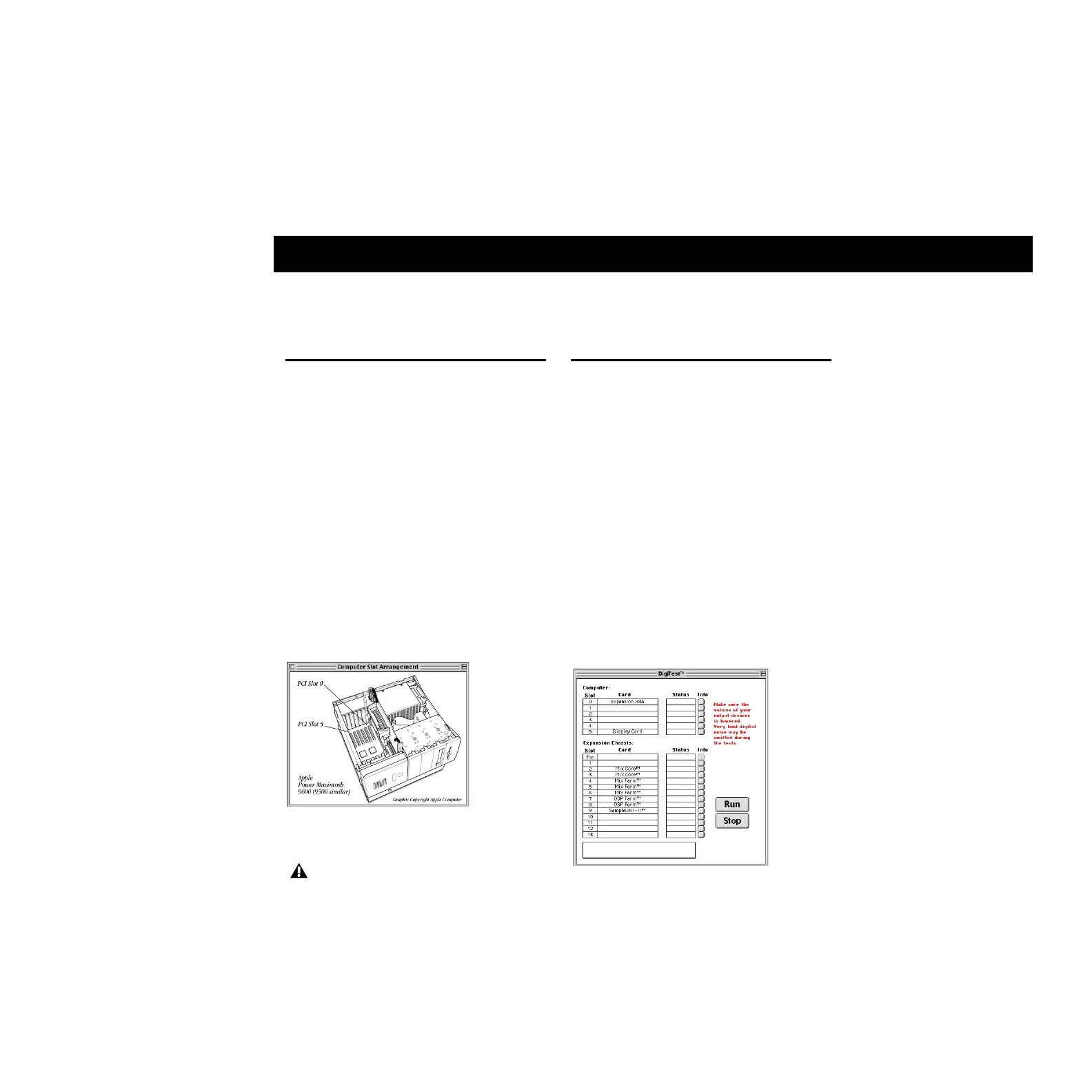
Verifying Slot Numbers in
Your Computer with DigiTest
You can use DigiTest (included with Pro Tools)
to find out how the slots are numbered in your
computer and expansion chassis, thereby ensur-
ing that Digidesign cards, SCSI host bus adapt-
ers, and chassis cards are appropriately placed.
To verify the slot numbering for your computer:
1 Double-click the DigiTest application in the
Pro Tools Utilities folder inside the Pro Tools
folder.
2 From the SlotArrangement menu, select your
computer and chassis model. A picture appears
illustrating the slot numbers for your computer.
3 Choose File > Quit to close DigiTest.
Verifying Chassis
Configuration with DigiTest
You can use DigiTest (included with Pro Tools)
to verify your expansion chassis slot configura-
tion, and also test the Digidesign cards.
To use DigiTest with an expansion chassis
configuration:
1 Lower the output volume for any mixers and
monitors connected to your audio interfaces.
2 Double-click the DigiTest application to open
it. DigiTest resides in the Pro Tools Utilities
folder inside the Pro Tools folder.
3 From the SlotArrangement menu, select both
your computer and expansions chassis.
Slot numbering for 9600
After using DigiTest, you must restart your
computer before using Pro Tools.
DigiTest window, 9600 with SBS 13-Slot
Artisan Technology Group - Quality Instrumentation ... Guaranteed | (888) 88-SOURCE | www.artisantg.com



 To Next Page