Page 17
4.3 GLIDE PLOTTER AND GLIDE COMPASS DISPLAY SCREENS
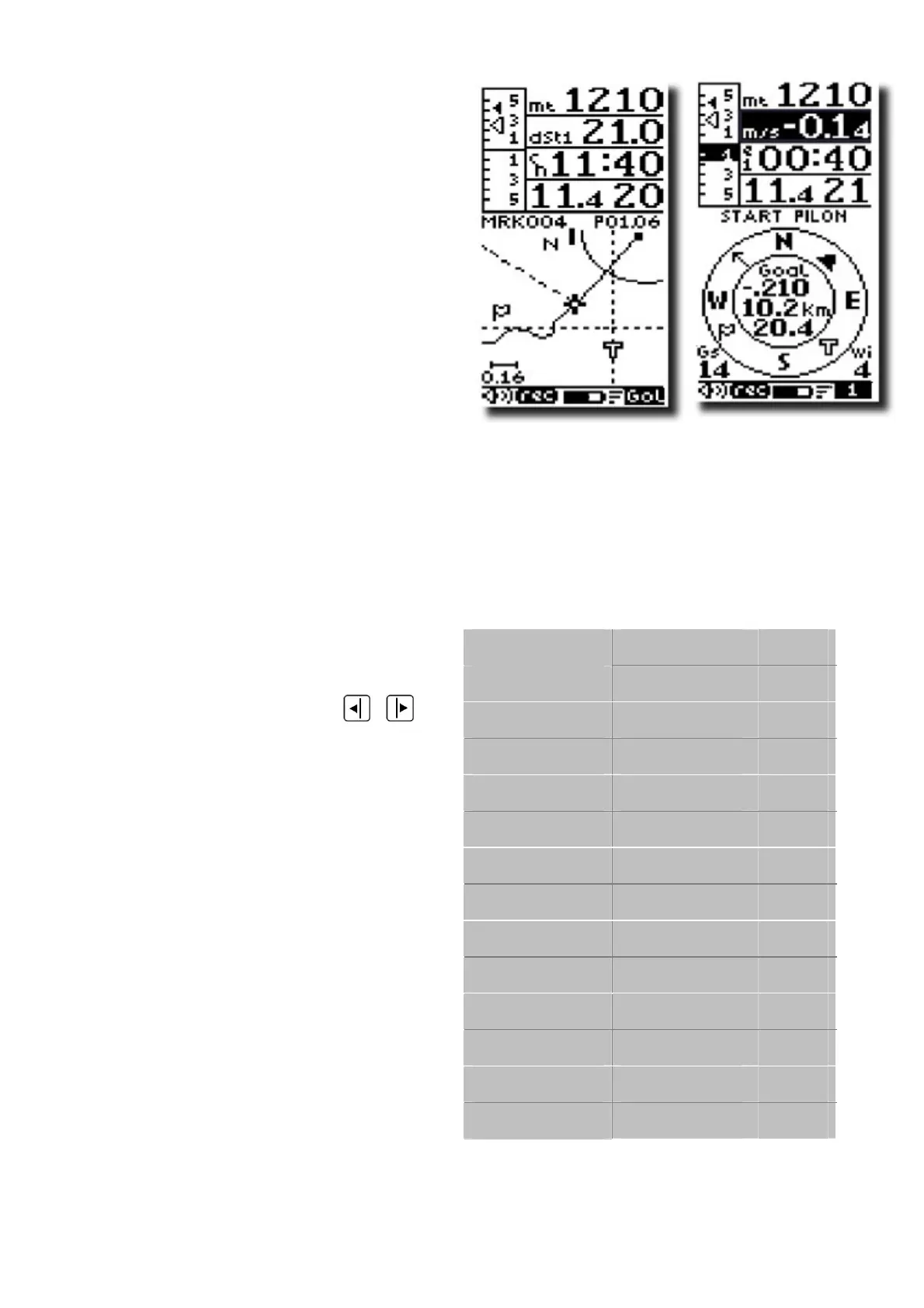
The Glide Plotter display shows
essential vario information along with a
live graphical trace of your flight,
Waypoints & Route information and
wind direction.
The Glide Compass Display screen
shows essential vario information along
with a compass, showing Waypoints &
Route information, thermal location,
efficiency information, ground speed , wind speed and wind direction.
For some of these function to be active, Waypoints must have been entered in to the
Digifly instrument and a Route activated and a GPS “FIX” achieved.
4.3.1 PLOT SCALE
To zoom in or out of the live plot of your
flight, press the arrow keys
,
The plot scale is shown on the left of
the screen according to the following
values:
Valore ZOOM
Km/schermo m/pixel
0.01 0.06 1
0.02 0.125 2
0.04 0.25 4
0.08 0.5 8
0.16 1 16
0.32 2 32
0.64 4 65
1.28 8 130
2.56 16 250
5.12 32 500
10.2 65 1000
20.4 130 2000
40.9 250 4100



 To Next Page