Page 47
7.19.5 DELETE WAYPOINTS IN A ROUTE
To delete all Waypoints in a Route press the
key (long press)
and confirm with “YES”.
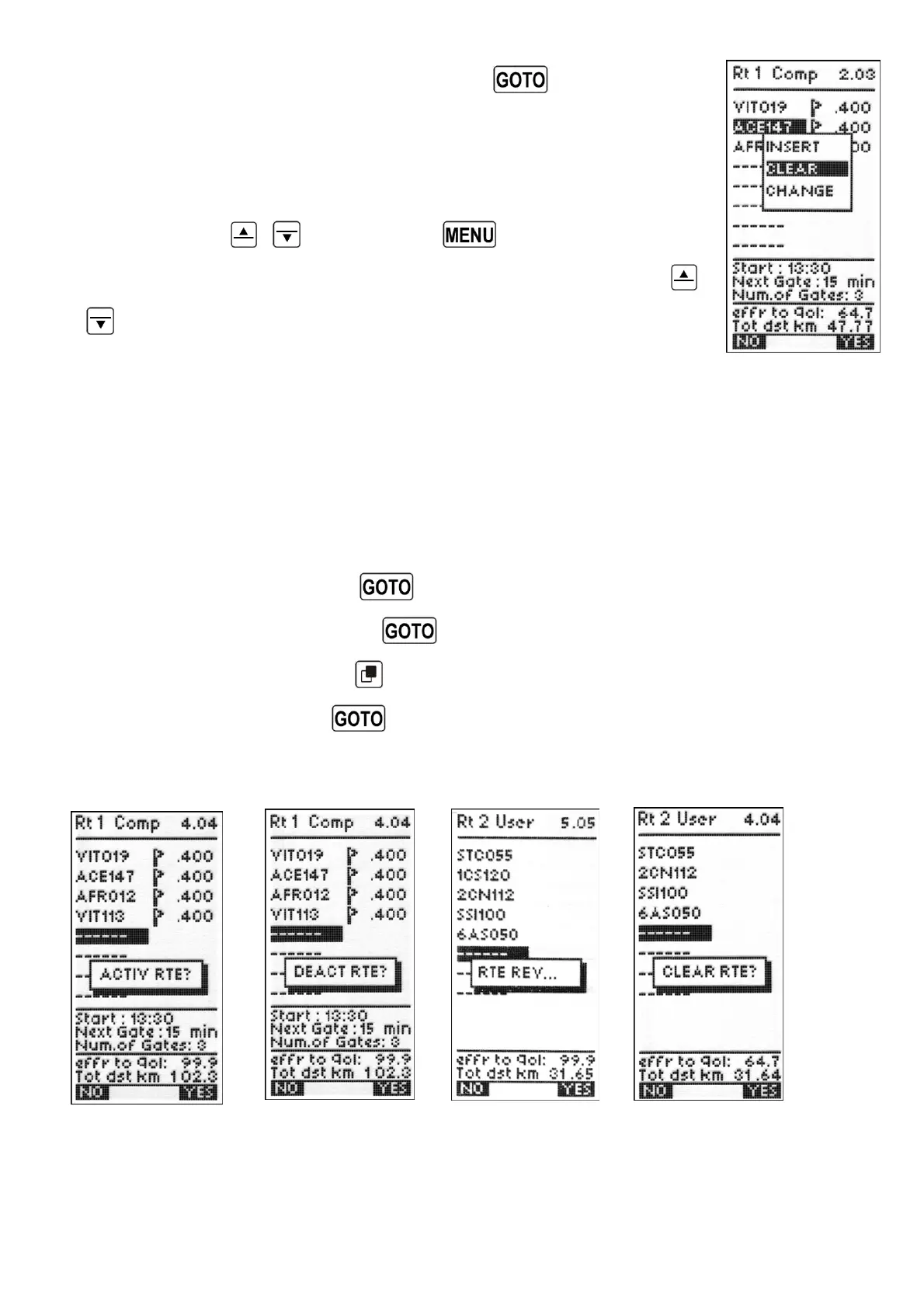
To delete a Waypoint in a Route, scroll to the desired position using
the arrow keys
,
then press the key (function “EDIT”).
From the drop-down menu select the “CLEAR” function with the
,
keys and confirm with “YES”.
7.19.6 ACTIVATE / DEACTIVATE / REVERSE / CLEAR A ROUTE
To activate a Route press the
key and confirm with “YES”.
To deactivate a Route press the
key and confirm with “YES”.
To reverse a Route press the
key (long press).
To clear a Route press the
key (long press) and confirm with “YES”.



 To Next Page