Page 46
7.19.1 INSERT WAYPOINTS IN AN EMPTY ROUTE
To insert Waypoints in an empty Route, press the
key (function “EDIT”). The first
Waypoint of the list appears, scroll trough the Waypoint list using the arrow keys
,
and then press the key (function “SAVE”).
7.19.2 INSERT A WAYPOINT AT THE LAST POSITION OF THE ROUTE
Scroll to the last position on the Route you want to add a Waypoint to using the arrow
keys
,
and then press the key (function “EDIT”). The first Waypoint on the
Waypoint list appears. Scroll trough the Waypoint list using the arrow keys
,
and
then press the
key (function “SAVE”).
7.19.3 INSERT A WAYPOINT IN A ROUTE WITH WAYPOINTS
Scroll to the desired position using the arrow keys
,
and then
press the
key (function “EDIT”).
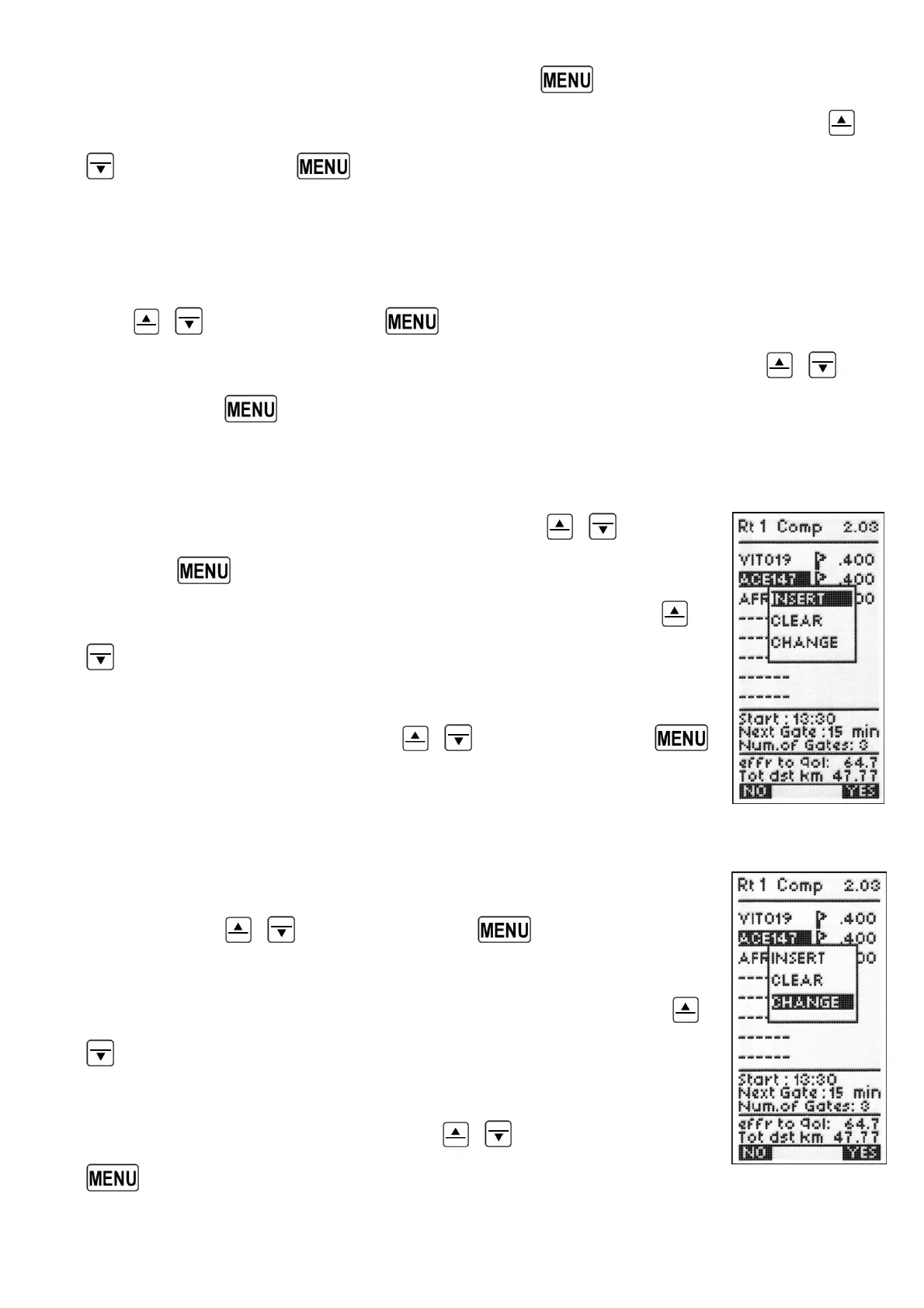
From the drop-down menu select the “INSERT” option with the
,
keys and confirm with “YES”.
The first Waypoint in the Waypoint list appears, scroll through the
Waypoint list using the arrow keys
,
and then press the
key (function “SAVE”).
7.19.4 CHANGE WAYPOINTS IN A ROUTE
To change a Waypoint in a Route scroll to the desired position using
the arrow keys
,
and then press the key (function
“EDIT”).
From the drop-down menu select the “CHANGE” option with the
,
keys and confirm with “YES”.
The current Waypoint on the Waypoint list a appears, scroll through
the Waypoint list using the arrow keys
,
and then press the
key (function “SAVE”).



 To Next Page