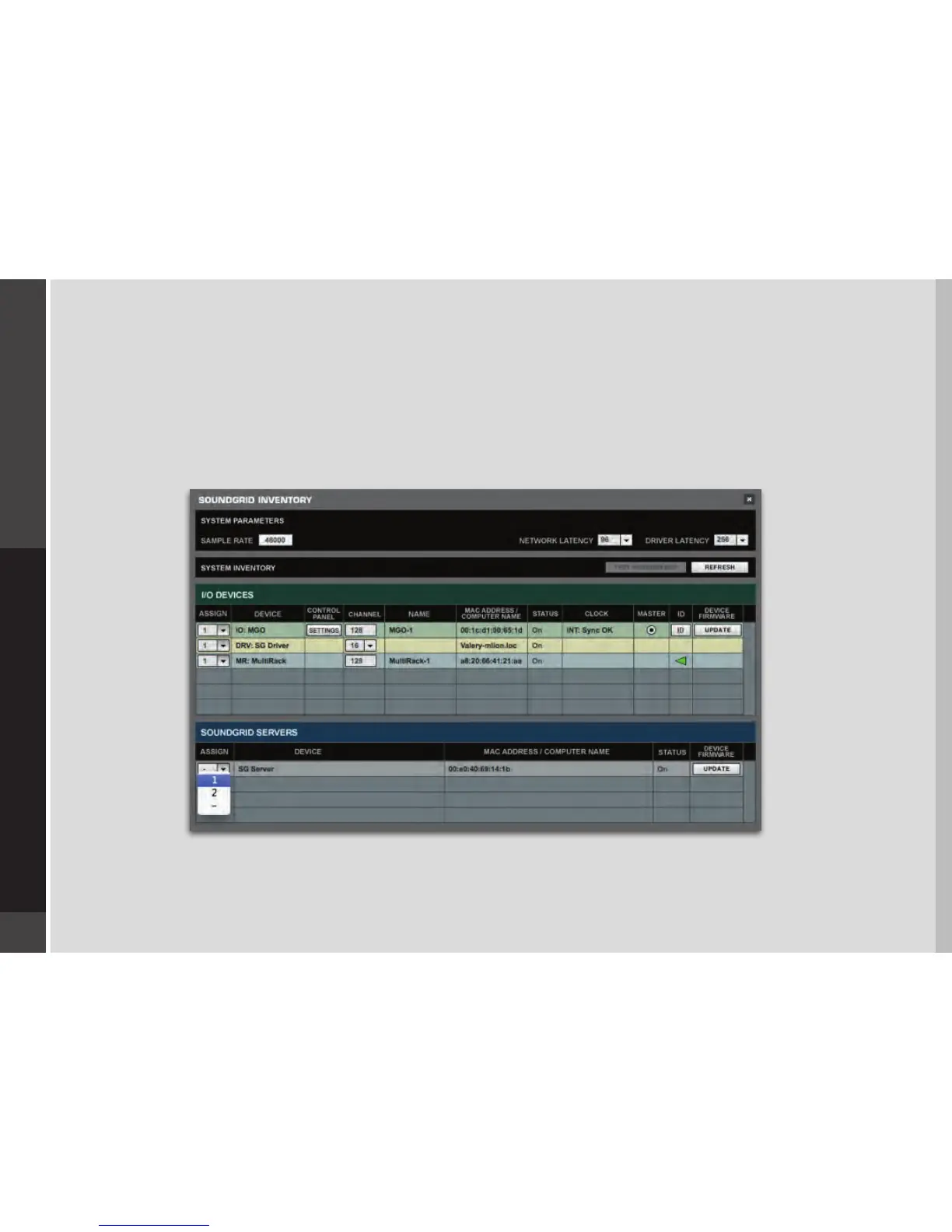
4. When you select the correct port, the message “SoundGrid Network Found” will appear on the panel. Close this window.
5. Open the SoundGrid Inventory window from the Audio Menu (F2). The SoundGrid Inventory window displays all SoundGrid I/O
devices connected to your network.
6. Assign SoundGrid drivers in the Assign column. Use consecutive numbers for multiple devices, with the rst unit assigned as
number 1.
7. Assign SoundGrid DSP servers in the Assign column. The primary SoundGrid DSP server will be assigned as number 1. If you are
using a redundant SoundGrid DSP server, assign it as number 2.


 To Next Page