EasyManua.ls Logo

Digilent Arty S7 - User Manual

Digilent Arty S7
14 pages
Print Icon
To Next Page IconTo Next Page
Loading...
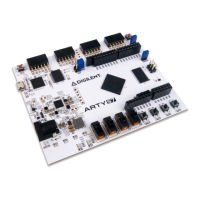
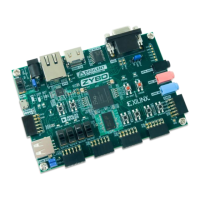
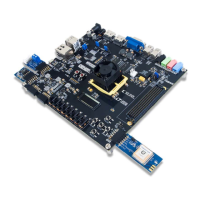
The Arty S7 board features the new Xilinx Spartan-7 FPGA and is the latest member of the Arty FPGA development board family from Digilent. The Spartan-7 FPGA offers the most
size, performance, and cost-conscious design engineered with the latest technologies from Xilinx and is fully compatible with Vivado Design Suite. Putting this FPGA in the Arty form
factor provides users with a wide variety of I/O and expansion options. Use the dual row Arduino® connectors to mount one of the hundreds of hardware compatible shields
available, or use the Pmod ports with Digilent's pre-made Pmod IP blocks for a more streamlined design experience. Arty S7 was designed to be MicroBlaze ready and comes out of
the box ready to use with the free Xilinx WebPack version of Vivado Design Suite.
(https://reference.digilentinc.com/_media/reference/programmable-logic/arty-
s7/arty-s7-0.png)
Arty S7 Reference Manual
Question and Answer IconNeed help?

Do you have a question about the Digilent Arty S7 and is the answer not in the manual?

Summary

Features of Arty S7 Board

Xilinx Spartan-7 50 FPGA

Core Xilinx Spartan-7 FPGA details, including slices, LUTs, RAM, PLLs, and DSP slices.

Memory Components

Specifications for on-board DDR3L RAM and Quad-SPI Flash memory.

Power Supply Options

Details on board power sources, including USB and external supply.

User Interface Elements

User interface components like buttons, switches, and LEDs on the board.

Expansion Connectors

Pmod and Arduino/chipKIT shield connectors for hardware expansion.

Purchasing and Software Support

Purchasing Options

Information on how to acquire the Arty S7 development board.

Software Support Details

Information on compatibility with Vivado Design Suite and other software.

Designing with Microblaze

Functional Description

Power Supplies

Details on the board's power sources, including USB and external supply options.

FPGA Configuration Methods

JTAG Configuration

Programming the FPGA using the JTAG interface via USB or external programmer.

Quad-SPI Configuration

Storing FPGA configuration data in Quad-SPI flash for automatic loading.

DDR3 L Memory Interface

Quad-SPI Flash Usage

Board Components and I;O

Oscillators and Clocks

Details on the onboard crystal oscillators and their usage.

USB-UART Bridge

Functionality of the FTDI FT2232HQ for serial communication via USB.

Basic I;O Elements

Description of basic I/O components like LEDs, switches, and buttons.

Digilent Arty S7 Specifications

General IconGeneral
BrandDigilent
ModelArty S7
CategoryMotherboard
LanguageEnglish

Related product manuals