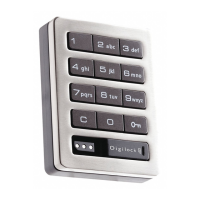
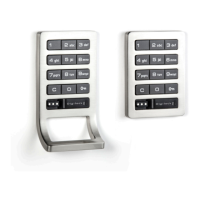
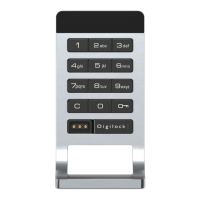
Standard Keypad
Bolt Mechanism
Shared & Assigned Use Functionality
Product Guide
1
Lock Parts
Keys
Key Insertion
Aspire locks with a keypad interface are operated by a 4-7 digit User Code or by an ADA compliant User Key. Manager Keys provide
management access and external power. Programming is accomplished via a Programming Key unique to the lock system. An optional mobile
application tool simplifies lock system management and provides audit trail.
User Key Manager Key
1
Programming Key
2
Operates the lock
• • •
Overrides user access
• •
Allows management inspection
• •
Provides external power
• •
Programs Manager Keys to the lock
•
Assigns user credentials
3
(in assigned use functionality)
•
Sets lock functionality
•
Numeris logo must face up on standard and vertical body locks.
VerticalStandard
Front Unit
Standard Vertical
C Button
C Button
Key Button
Key Button
Key Slot
Key Slot
Alpha Numeric
Keypad
Rear Unit
Cover Plate
Lock Mounting
Holes
½" (12.7 mm)
Deadbolt
Cover Plate Screw
Pull Handle
Pull Handle
Connection Options
Cable
Pin
LED Usage Indicator
Shared Use
Assigned Use
1
Up to 6 Manager Keys may be programmed to each lock. If managed with the optional Mobile App, up to 250 Manager Keys may be programmed to each lock.
2
1 Programming Key allowed per lock system.
3
Up to 20 user credentials may be assigned to each lock. If managed with the optional Mobile App, up to 250 user credentials may be assigned to each lock.



 To Next Page