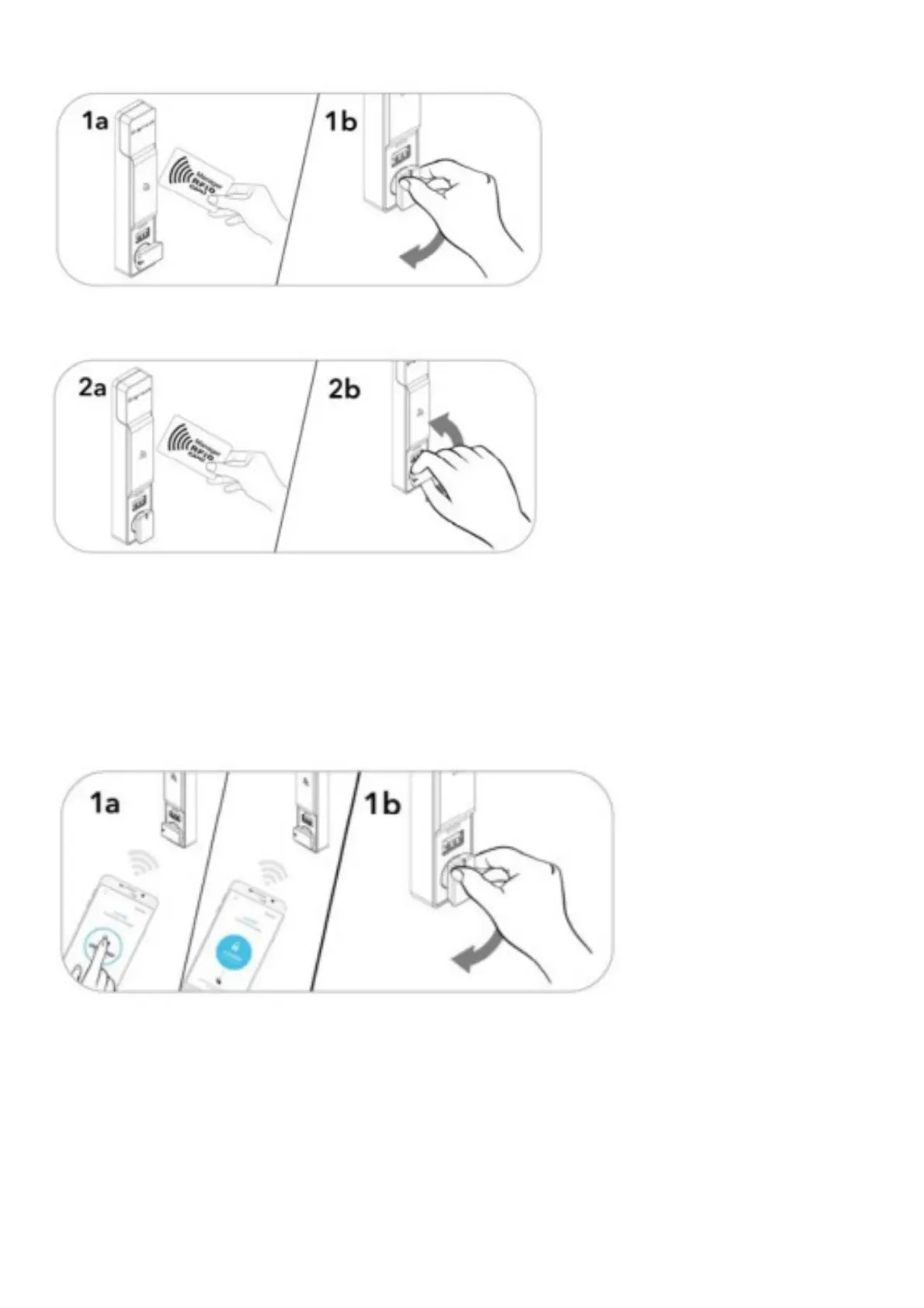
Operate with an Admin or Manager RFID Credential
Lock: Close the door. Present a valid Admin or Manager RFID credential, then tum the knob to the locked position.
Unlock: Present a valid Admtn or Manager RFID Unlock: Present a valid Admin or Manager RFID credential, then
turn the knob to the unlocked position. Open the door.*
*If a val id Manager credential is used to re lock, the previous user credential will continue to operate the lock.
OPERATING INSTRUCTIONS – IN SHARED USE FUNCTIONALITY
Operate with an Admin or Manager Mobile ID Credential
Lock: Present a valid Admm or Manager Mobile ID credential Unlock: Present a va,,d Adm,r or Manager Mobile ID
and press the unlocked icon w1thm the Mobile ID app to
lock, then turn the knob to the locked position.



 To Next Page