3. Updating content via LedArt mobile app
Required phone system: Android 4.0 and above or iOS 7.0 and above
LedArt installation
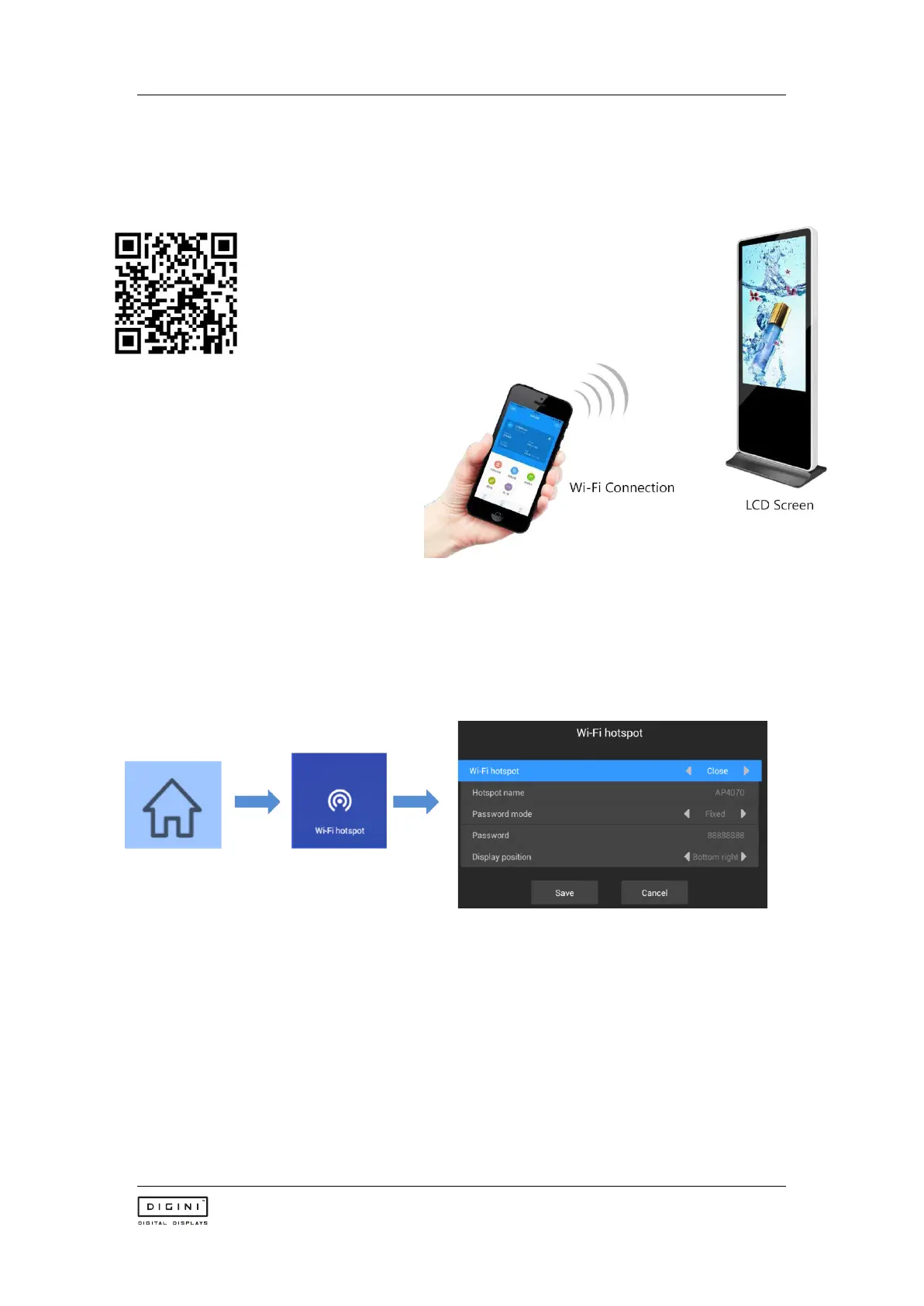
Users can scan the QR code to download
the LedArt app, or search for "LedArt"
downloads in Google Play Store. After
downloading the app to your phone, you
can install it by default
Wi-Fi connection (find device)
Magicplayer turns on Wi-Fi hotspot
Press the menu key on the remote control, select Wi-Fi hotspot, and turn on Wi-Fi hotspot.
Note: If you use a network cable to connect to the LAN, skip this step.
Wi-Fi connection
Open "LedArt", select the "Device" module, click "Find Machine", and then connect the
corresponding Wi-Fi hotspot. As shown below



 To Next Page