ENGLISH
5
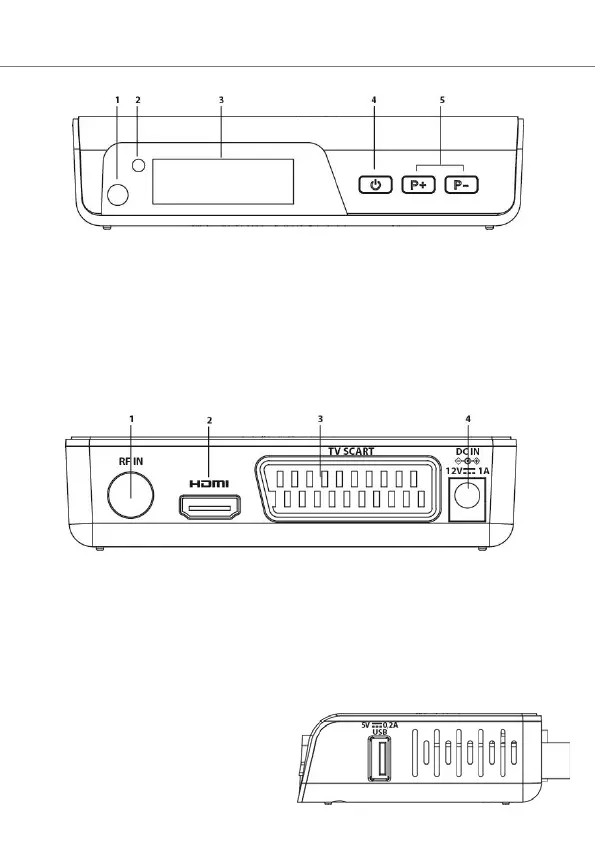
FRONT PANEL
1. IR sensor: receives the signal from the remote control.
2. Display: shows the number of channel. In standby displays the time.
3. Led: power indicator will turn green when the box power on,
and turn red when the box goes standby.
4. Power/standby button.
5. Channel change keys + and -.
REAR PANEL
1. RF IN: for antenna connection.
2. HDMI: for connection to high definition TV with HDMI cable
(not included).
3. SCART TV for connection to TV with SCART cable (not
included).
4. DC IN for connection of the supplied 12V power supply.
SIDE PANEL
USB: to connect external USB
memory.



 To Next Page