DIGIQUEST
6
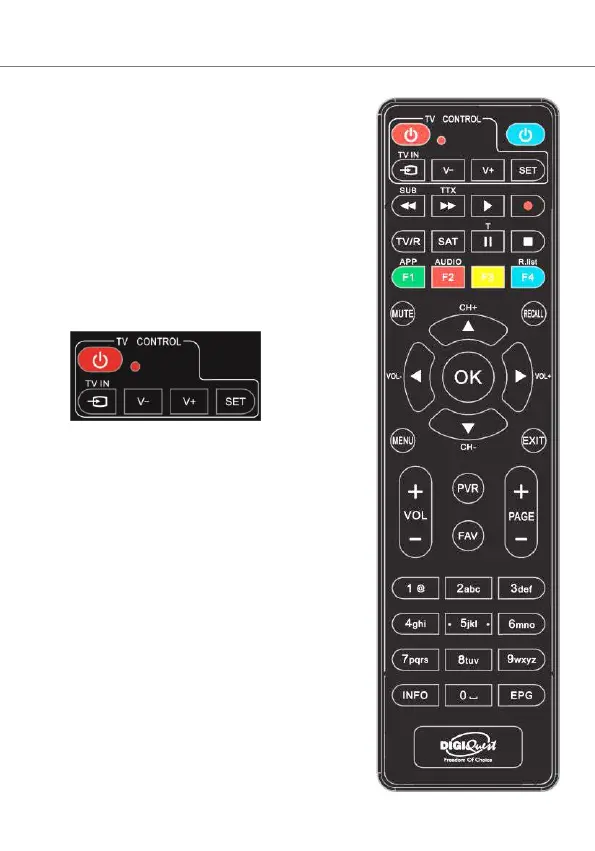
REMOTE CONTROL 2 in 1
The supplied remote control can be
programmed to also manage some
functions of the TV remote control (e.g.
volume management, switch-off,
channel change). To assign the TV
functions to the receiver's remote
control, it is necessary to use the TV
CONTROL section at the top left of the
remote control, follow the procedure
below:
TV CONTROL. TV remote control
setting.
In the TV CONTROL section press the
SET button for 3 seconds, the red LED
will increase in intensity. In the same
section press the key to set (e.g. V+),
the red led will flash.
Place the TV remote control in front of
the decoder remote control (so that the
two LEDs face each other) at a distance
of about 3 cm. On the TV remote
control, press and hold the button you
want to set (e.g. VOL+) until the red
LED stays steady. Press the SET button
to save.
Set one key at a time.



 To Next Page