DG-BR5411QAC User Manual
28
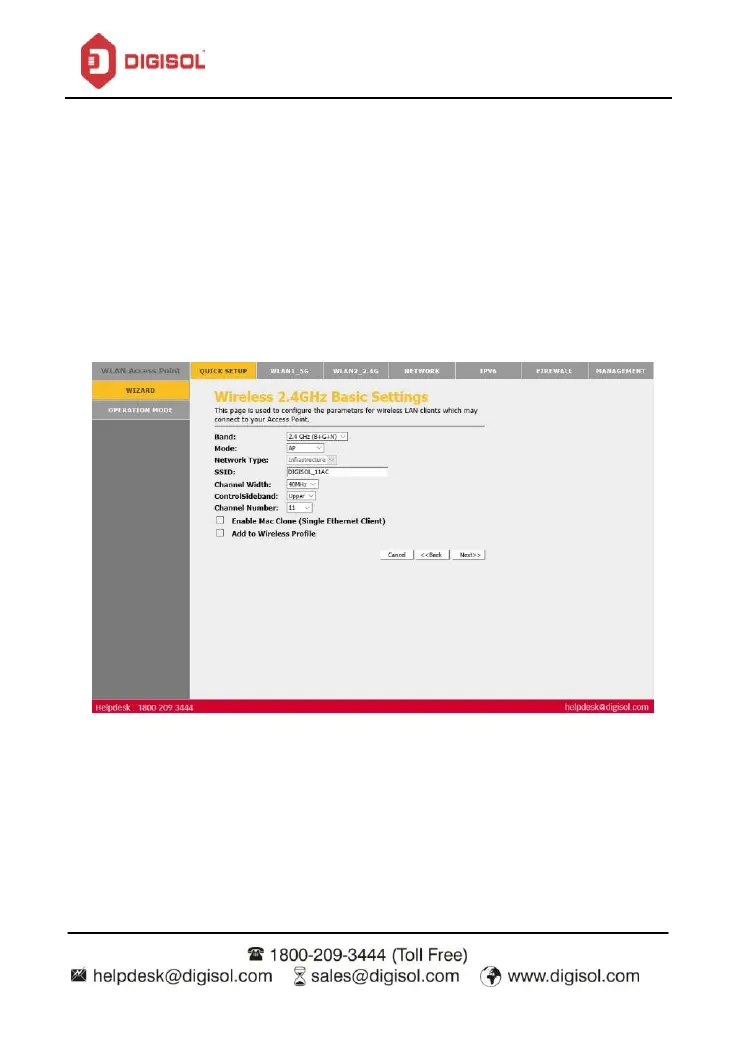
Step 7: Wireless 2.4GHz Basic Settings.
This page is used to configure the parameters for Wireless LAN clients which may connect to
your Access Point.
Select the desired Wireless Band from the drop down menu.
Select any one of the modes from AP, Client , WDS, AP+WDS ,AP + Mesh , Mesh.
Enter the SSID.
Select the desired channel width amongst 20 MHz and 40MHz.
Select the desired Channel Number from the drop down menu.
Click on ‘Next’.


 To Next Page