DG-BR5411QAC User Manual
47
4.8 Wi-Fi Protected Setup
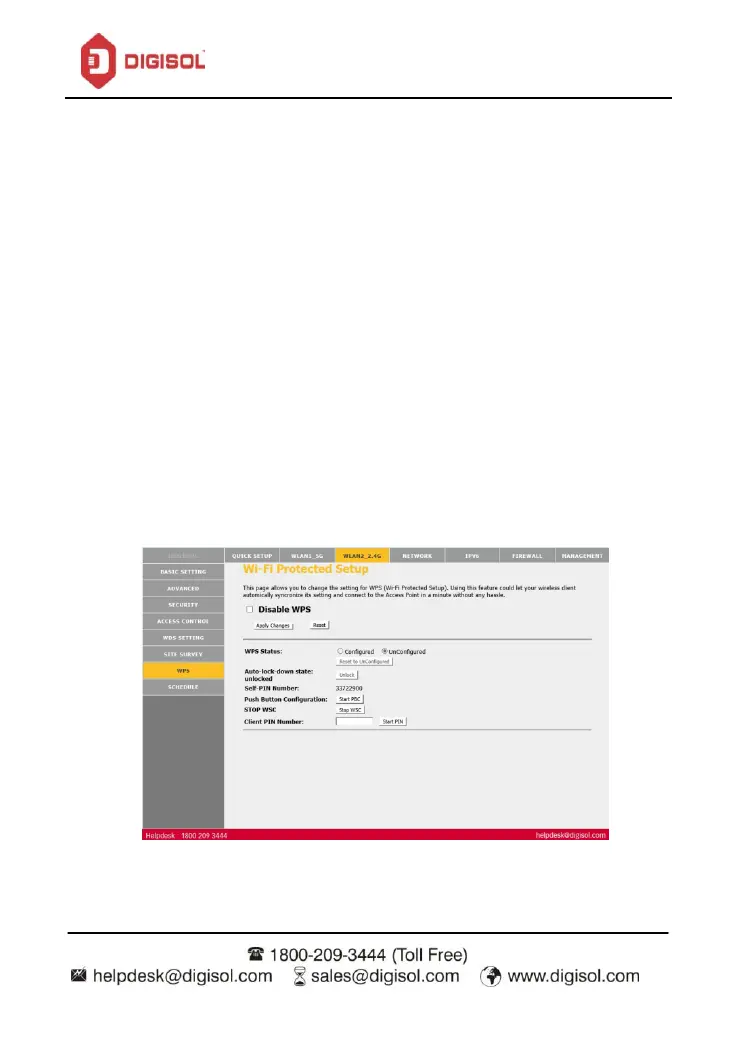
This page allows you to change the setting for WPS (Wi-Fi Protected Setup). Using this
feature could let your wireless client automatically synchronize its setting and connect to the
Access Point in a minute without any hassle.
There are two ways for the wireless client to establish connection with the router through
WPS. In the wireless client tool, enter the PIN which is generated by the router, start
connection. The client will automatically establish the connection with the router through the
encryption mode, and you need not enter the key. The other way is the wireless client
generates PIN. Enter PIN of the wireless client in the Client PIN Number field, then click Start
PIN to establish the connection.
Note: The wireless client establishes the connection with the router through WPS
negotiation. The wireless client must support WPS.


 To Next Page