DG-BR5411QAC User Manual
50
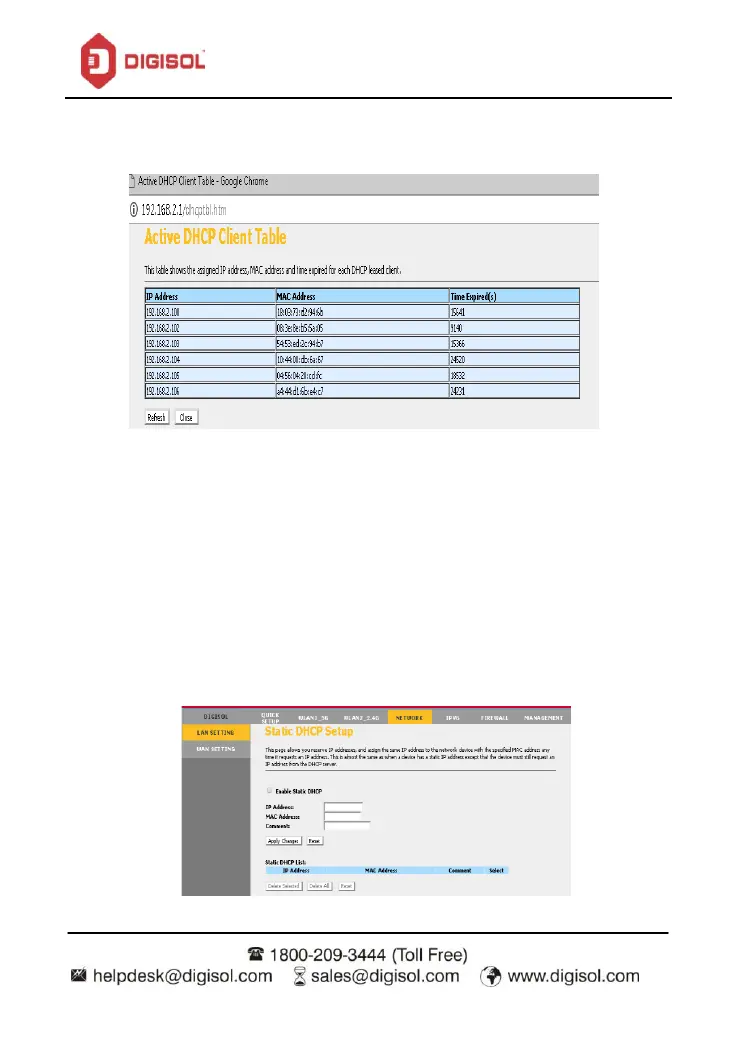
Click on ‘Show Clients’ to display the Active DHCP Client Table.
Static DHCP Setup
Click on ‘Set Static DHCP’.
This page allows you reserve IP addresses, and assign the same IP address to the network
device with the specified MAC address any time it requests an IP address. This is almost the
same as when a device has a static IP address except that the device must still request an IP
address from the DHCP server.
Click on ‘Enable Static DHCP’
Enter the IP and MAC address and click on ‘Apply Changes’.


 To Next Page