OPERATIONINSTRUCTION
I:OFFLINEMODE:
Switchonthepower,thesystemaccessestheOFFLINEmode.
A.Adjustthevolume:turnCHA/CHBbuttontoadjusttheinputlevelofCHA/CHB.
B.SetuptheamplifierID:
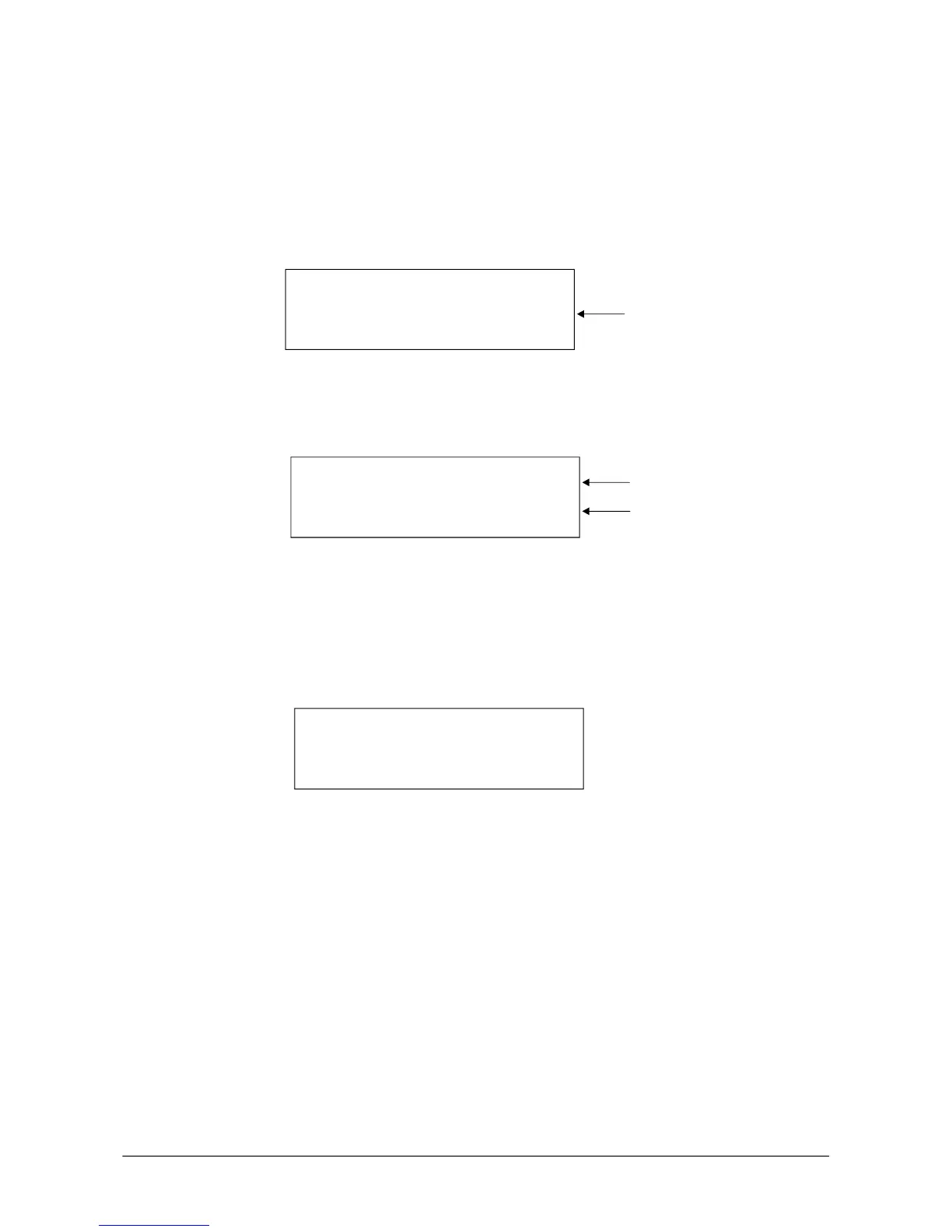
PressCHAbuttonforabout3seconds,theLCDshowsasfollows:
Then,turnCHAtochangetheamplifierIDfrom1to255.PressCHAbuttonagain
andsavethesetting.
C.Loadprogram
PresstheCHBbuttonforabout3seconds,theLCDshowsasfollows:
Then,turnCHAtoselectoneprogram(1-11).PressCHBbuttonagain,savethe
settingandloadtheselectedprogram.Atthesametime,theLCDshows:
LOADING..........Severalsecondslater,theLOADINGisfinishedandthesystem
returnthemenu
D.SETUPVOLUMEPROTECT
UnderthemenuofLOADPROGRAM,presstheCHBbuttonagainforabout3
secondsandthentheLCDshowsasfollows:
TurntheCHBbuttontoswitchon/offAUTOMUTE.Then,presstheCHBbuttonagain
tosavethesetting.
AUTOMUTE:ON.Whenthepowerison,thevolumeofCHA/CHBisMUTE
automatically.
AUTOMUTE:OFF.Whenthepowerison,thevolumeofCHA/CHBcomestothe
settingwhenpowerwasofflasttime.
1.Among11programs,No.11isnotusedundertheonlinemodewithoutPEQ,
XOVERandDELAY.Theother10programscanbesavedandrecalledonthe
onlinemode.
2.ThevolumeismuteautomaticallyaftereveryLOADPROGRAM.
3.Whenthesystemswitchesfromtheonlinemodetotheoffline,thesystemcan
loadtheprogramthatissavedunderthonlinemode.Atthesametime,the
volumeismuteautomatically.
NOTE:
SETUPAMPLIFIERID
DEVICENO.#1
AmplifierID
ProgramNumber
Programname
LOADPROGRAMP11
NOPEQ+XOVER+DELAY
:
VOLUMEMUTEPROTECT
AUTOMUTEON
:
6


 To Next Page