Thesoftwareadoptstheadvancedtelecommunicationcontroltechnology.The
usercancontrolthegain,EQ,crossover,delay,limiter,programmanagementetc.
throughtheinterfacesoftware.Thebelowintroducesestablishtheconnectionand
programmanagementoperation.
A.Establishtheconnection
1.InstallingtheSoftware
Runtheapplication<>.SetupwillinstalltheDSP6applicationontoyourPC.You
canacceptthedefaultdirectory,orspecifyadifferentlocationtoinstallthe
application.
2.ConnectingaPC
Useastandardcomputercable(accessorywiththeunit)toconnectaPCtothe
DSPamplifier.
3.ConfigureCOMport
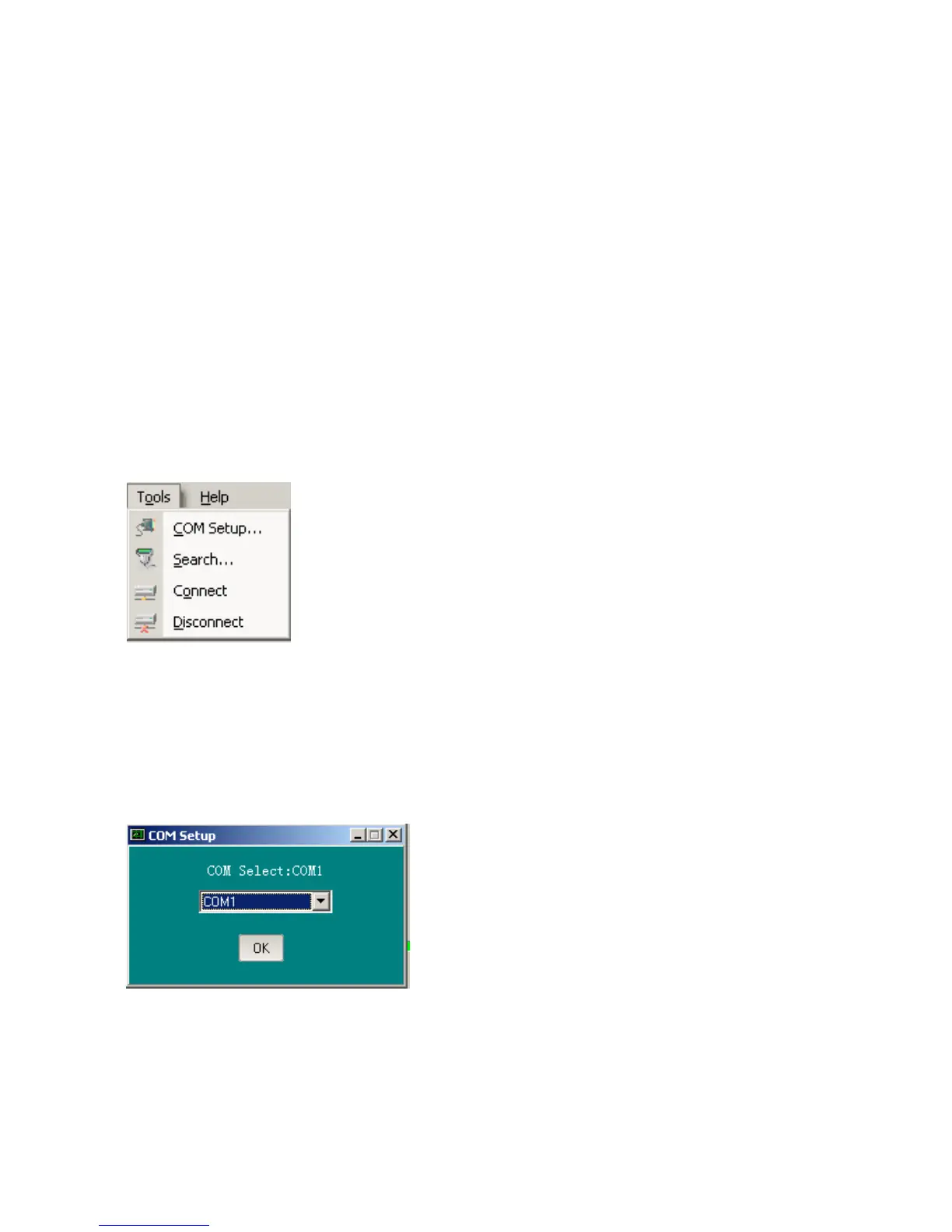
ClickonToolsinthetopmenubar,andselectCOMSetup...toopentheCOMSetup
window.TheapplicationusesCOM1onthePCbydefault.Ifnecessary,youcan
changetheCOMportusedbytheapplication.ClicktheCOMSelect:COM1pull-
downboxintheCOMSetupwindow,alltheserialportsavailableinthePClist
automatically,thenselectthedesiredCOMportandclickOKbutton.
SelectSearch...toopensearchfunctionthatwillfindoutalltheunitsinthenet.The
multipleunitswiththesameAddress(masterID)anddifferentSubAddress(slaveID)
cannotbeidentified.YoucanidentifysuchunitsonlyfromtheSubAddress(slave
ID),pleasekeeptheSubAddress(slaveID)sothatyoucancontrolsuchunitswhen
connectingwithPC
8
III.PCSOFTWAREOPERATION


 To Next Page