EasyManua.ls Logo

Digital Barriers EdgeVis HD-IP470 - Basic Unit Operations; HD-IP470 Device Connectors

Default Icon
39 pages
Print Icon
To Next Page IconTo Next Page
To Previous Page IconTo Previous Page
Loading...
Vodafone Business Surveillance IP470 Installation User Guide
C1 Public
Page 6
2. Basic operations of the unit
The EdgeVis HD-IP470 is a small and robust device, ideally suited for use in fixed
installations for the recording and live streaming of video from a multiple IP
cameras.
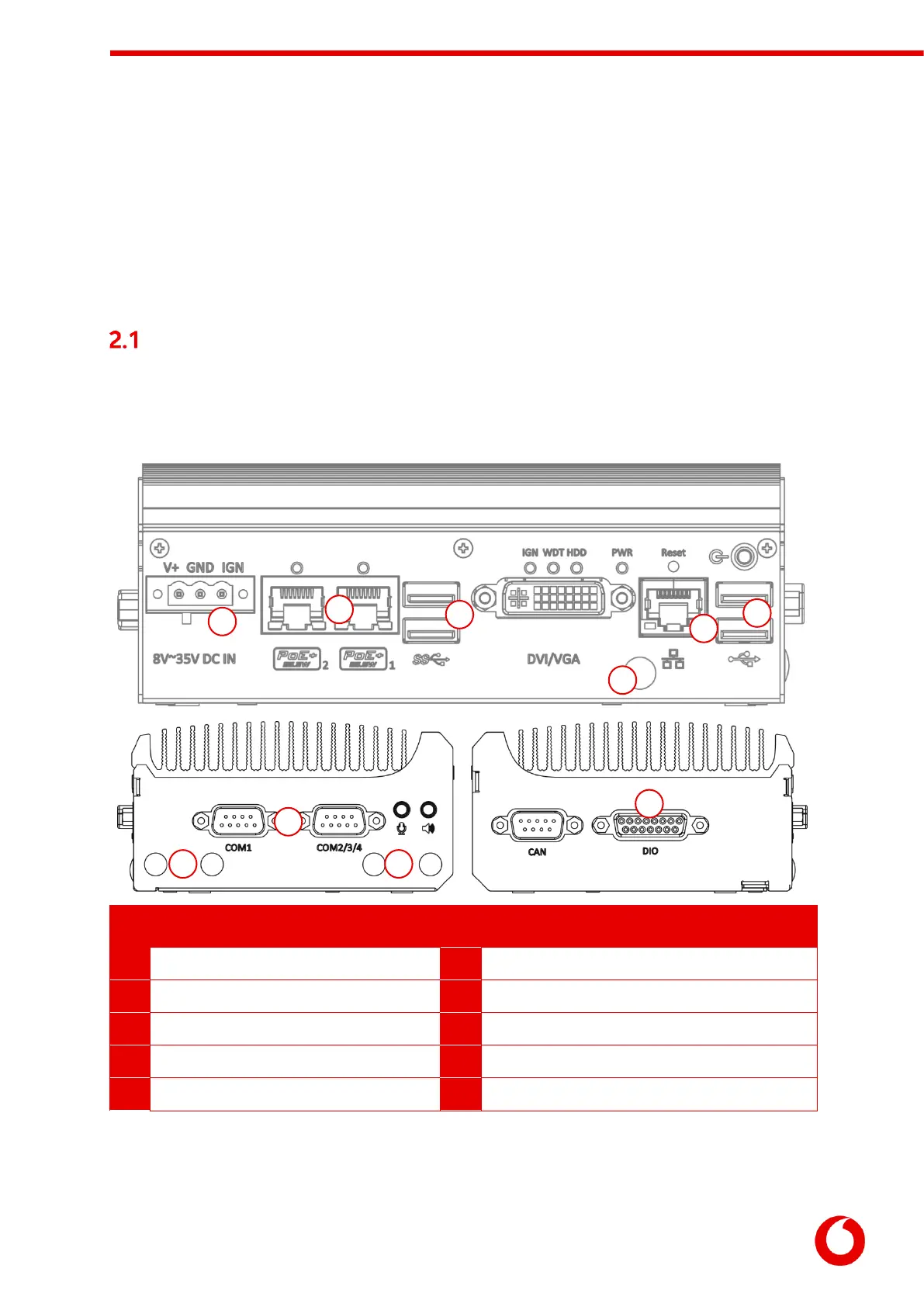
Device connectors
The HD-IP470 features integral TVI streaming using an internal 4G modem, internal Wi-Fi adapter or wired
LAN, and archiving onto internal drive. The device supports the connection of multiple IP cameras.
Connectors for the HD-IP470 are shown below.
s

Panel Layout
1
Power input connector.
6
GPS antenna connector.
2
PoE+ ethernet ports
7
Serial ports.
3
USB 3.0 ports.
8
Cellular antenna connectors.
4
Ethernet port.
9
Wi-Fi antenna connectors.
5
USB 2.0 ports.
10
Digital I/O triggers port.
Note: DVI/VGA, CAN, audio connectors and power button are not used.
1
2
3
4
5
6
7
8
9
10

Table of Contents