28
erased. You can use the repeat this procedure for each image you want to erase.
b. All: Delete all still Images. All images in memory will be erased.
c. Format: Format Memory. This function reformats the memory and will erase all files in
memory including files that have been protected.
d. Exit: Choose EXIT to return to the Normal mode without making any changes
4. Press the Menu button to keep the new setting and Exit the menu.
Protect photos
You can prevent your photos from being erased (except if the memory is formatted).
1. Set camera to Playback mode.
2. Press the Menu button
to enter the camera’s menu
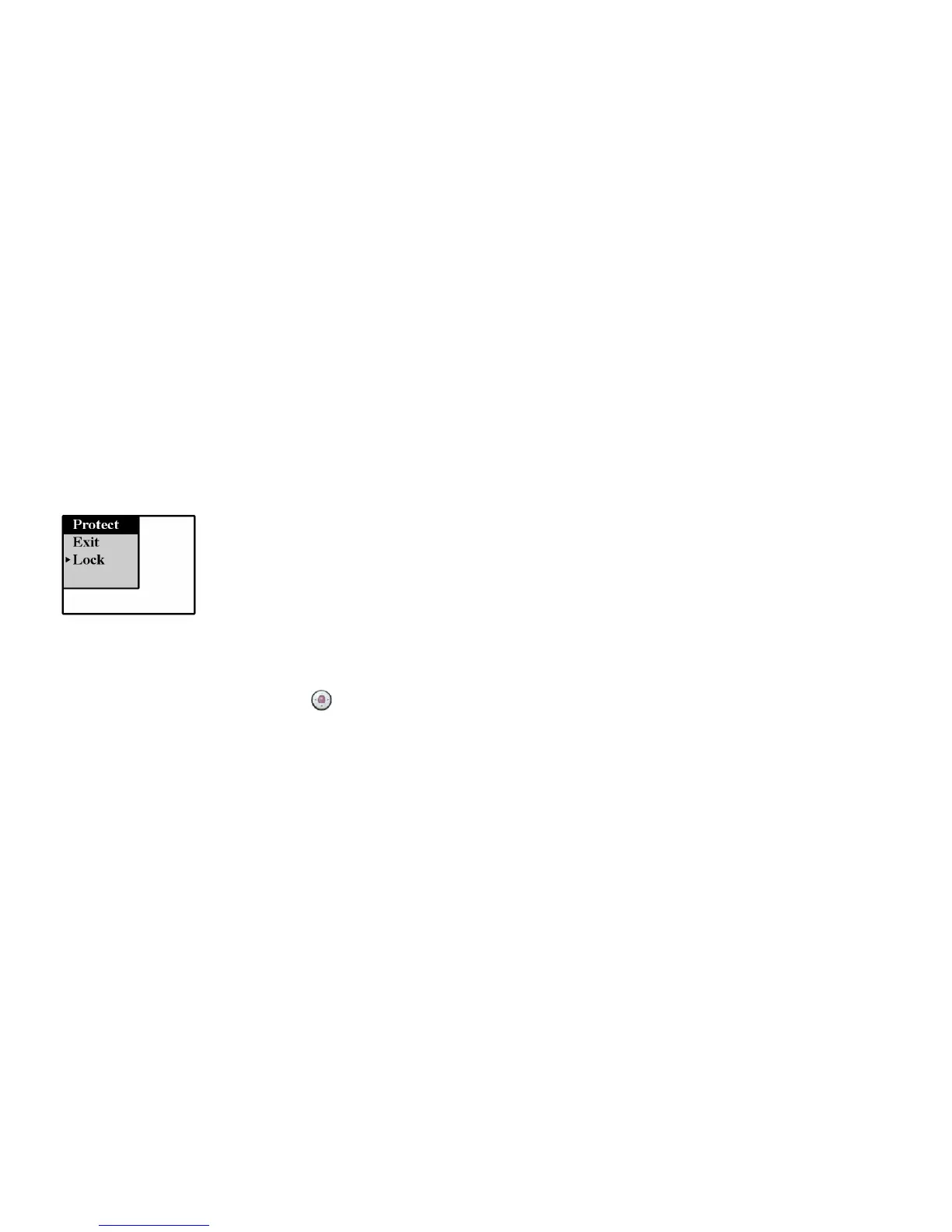
3. Press the Navigation buttons to the right or to the left until you reach the Protect menu on the LCD
monitor
4. Select the function you want from the menu by pressing the Navigation buttons up or down:
a. Lock: Protect Photos. Locking will protect the photos and prevent their deletion.
b. Unlock: Unlock Photos. Unlocking will enable the deletion of photos.
c. Exit: Choose EXIT to return to the Normal mode without making any changes
5. Press the Menu button to keep the new setting and Exit the menu.


 To Next Page
 Loading...