34
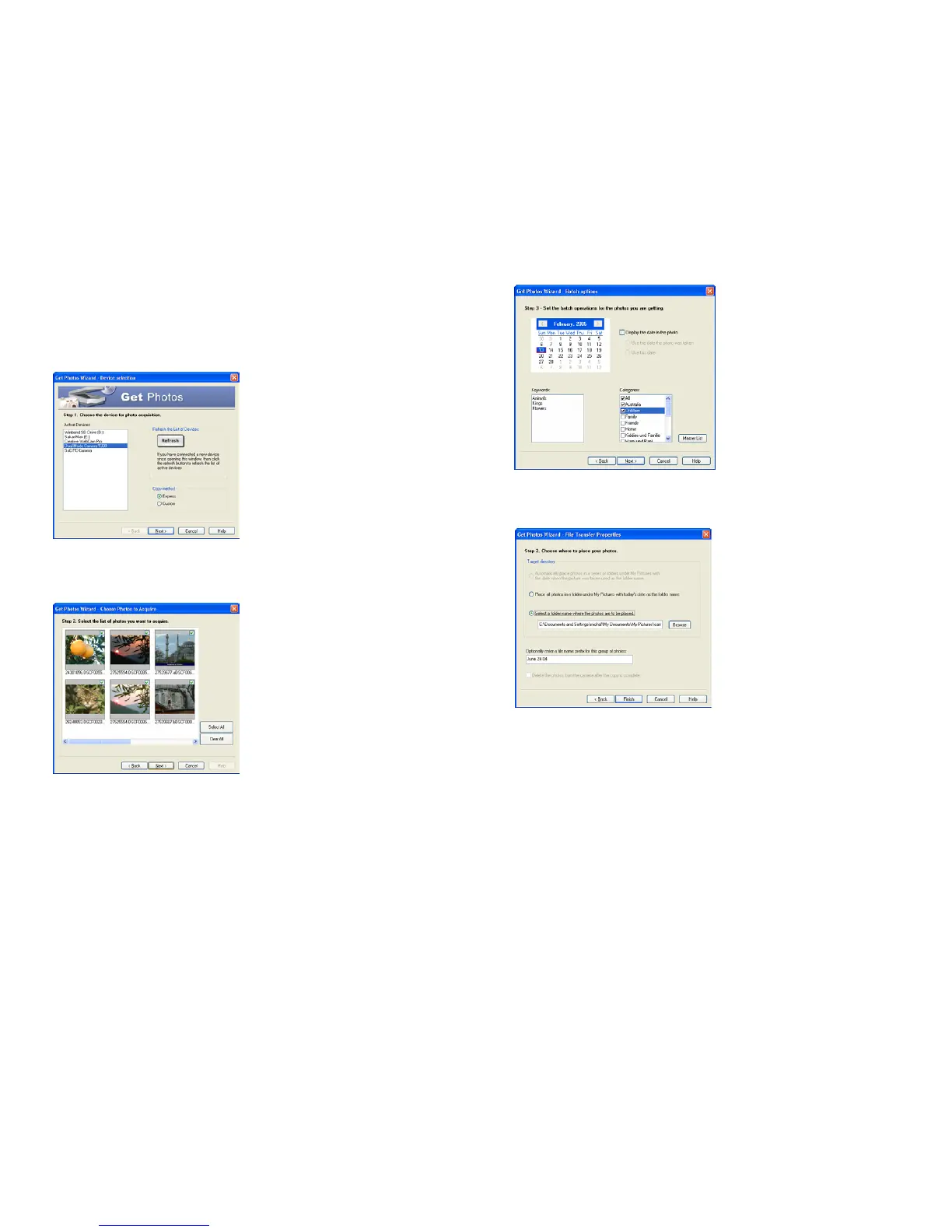
The Custom Copy method:
Manually select the photos you want to copy.
Select the “Custom” copy method. Click
“Next” to continue.
Select your photos and click “Next” to
continue.
Add Active Captions to your pictures: a date,
keywords, categories and more. Click “Next”
to continue.
On the next screen, choose where you want
to place your photos on your computer. Click
“Finish” to copy the photos to the location
you selected.
All of the pictures you imported will then appear in the “Select photos” mode’s main window.
The Express Copy Method:
Select this option if you want to have all the images transferred to the PC without the option to select
which photos you want to transfer. In this mode you will not see a preview of the images transferred. For
more information please refer to the Quick Start guide in PhoTags Express.


 To Next Page