3
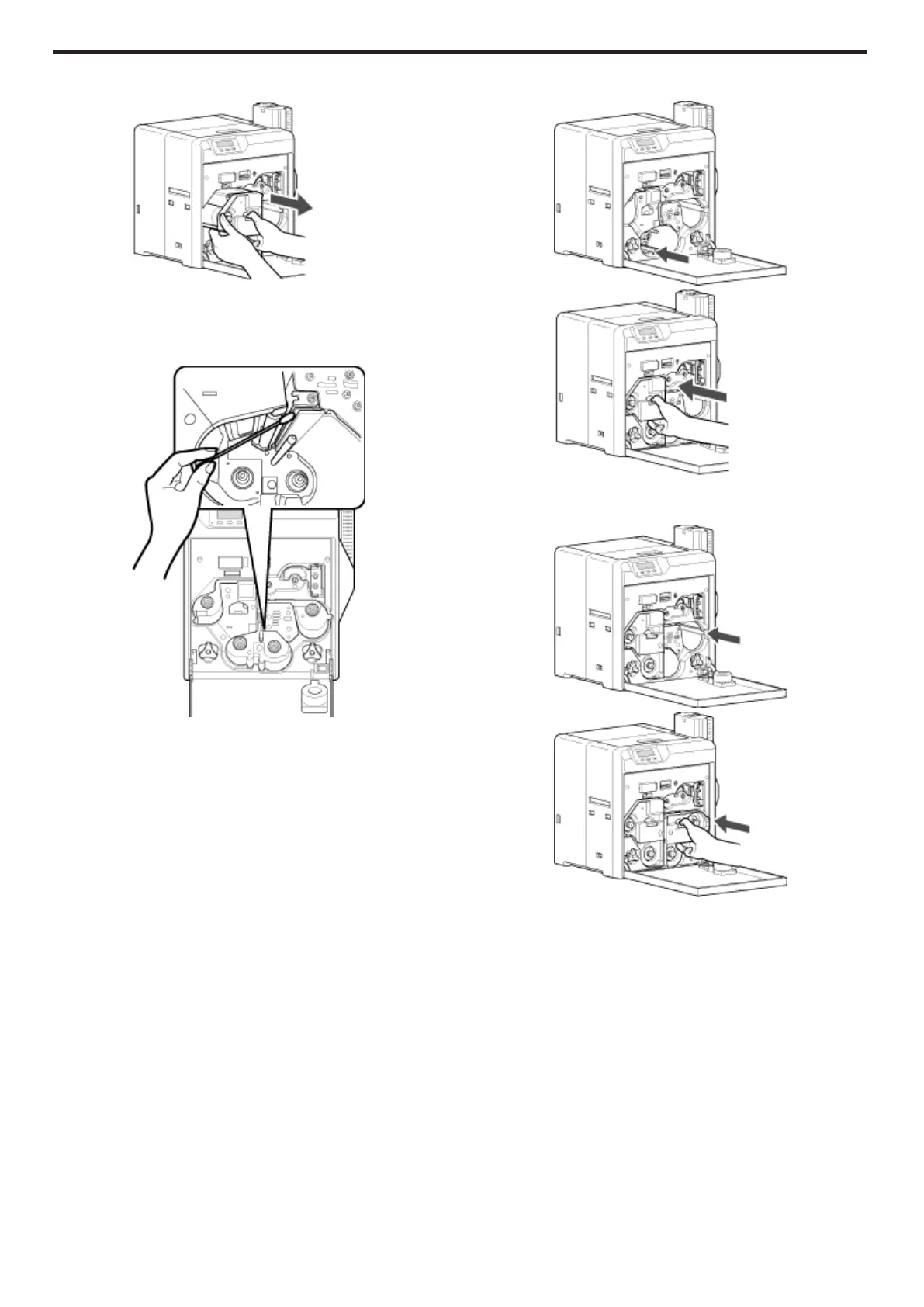
Press and hold down the cassette button, and remove the retransfer
film cassette (on the left)
.
4
Apply alcohol to a cotton swab (large), and use it to wipe the thermal
head
(Cotton swab and alcohol: sold separately)
v
Wipe the thermal head with care in the horizontal direction.
.
5
Insert the retransfer film cassette along the guide rail until a “click”
sound is heard
.
.
6
Insert the ink ribbon cassette along the guide rail until a “click”
sound is heard, followed by closing the printer door
.
.
Maintenance
40


 To Next Page