5
NOTE: The LED indicator will turn o once the charging has finished.
Music Playback
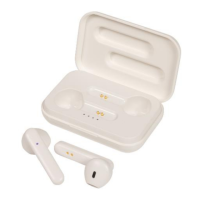
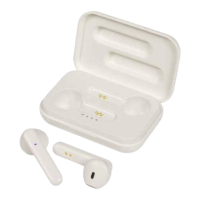
Charging Earphones
Charging Case
Function Button
Pause Press the play/call button to pause the current music track
Play Press the play/pause button again after pausing to resume the
current music track
Next Track Press the play / call button 2 times to skip to the next music track
Volume Press the play / call button 3 times to turn the volume up or
down
Insert the earphones into the earphone charging case to recharge them. The red
LED should now be lit on the earphones to indicate charging
1. Insert the USB micro B charging cable in a 5VDC mains power adaptor (not
included) or a suitable USB charging port such as a computer.
2. Insert the micro B USB plug into the USB power socket of the charging case.
3. The LED status indicator will flash blue once charging has started.
4. Once fully charged; the LED status indicator will turn to a solid blue.


 To Next Page