6
TROUBLESHOOTING
SAFETY
Problem Solution
Battery Won’t Charge
Or Power On
Connect to a suitable USB charging source such as a USB mains
power adaptor or USB charging port and make sure it’s correctly
turned on.
Make sure the battery is fully charged up to 2 hours and make
sure the LED status indicator has turned o.
No Power / LED
Indicator
Ensure the USB charging cable is connected properly to a USB
charging port or USB charging adaptor.
Check to see if your USB power source is working correctly.
No Audio Ensure the volume is correctly turned up on your smartphone.
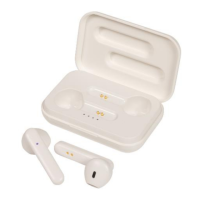
Ensure the earphones are correctly paired and turned on.
Turn the earphones o and on again, turn o the Bluetooth of
your smartphone or tablet and turn back on.
Type in the password “0000” if it asks you for one.
• Do not open the earphones or charging case of this product to prevent the
unit from damage.
• Keep the earphones and earphone charging case away from high
temperatures as it may damage the device.
• Do not expose the earphones or earphone charging case to water or liquids
to prevent the unit from damage.


 To Next Page