Getting Started ...................................................................................................... 9
Connect the Microphone, Guitar, and P.A. or Mixer .............................9
Set the Vocalist
®
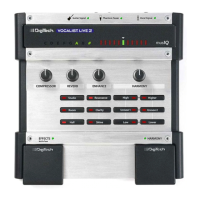
Live 2 Controls ............................................................... 10
Set up the Mixer for Stereo Operation
(If Using Two Channels of a Mixer) ...........................................................11
Common Setups ....................................................................................................12
Guitar and Microphone In/Guitar Amp and P.A. Out (Mono) ............ 12
Guitar and Microphone In/P.A. Out (Mono or Stereo) ........................ 13
Guitar and Microphone In/P.A. and Powered Monitor Out ................ 14
Guitar and Mixer or Preamp in/P.A. Out .................................................15
The Vocalist Live 2 Controls ...............................................................................16
Harmony Mix Knob ..................................................................................... 16
Harmony Select Buttons .............................................................................16
Compressor Knob ........................................................................................17
Enhance Knob and Buttons ........................................................................ 17
Reverb Knob and Buttons ..........................................................................18
Effects Footswitch ......................................................................................... 18
Harmony Footswitch ...................................................................................19
Guitar Tuner ................................................................................................... 19
Some Usage Notes .......................................................................................20
Setting Levels on the Vocalist Live 2 .................................................................21
Troubleshooting .....................................................................................................22
Specifications .......................................................................................................... 24




 To Next Page