7
1. After you finished steps 1 to 5 in above Stream live video with network bonding (RTMP)
instruction, you should get the RTSP URL such as rtsp://192.168.x.xx/live.
2. Please use a computer on the same local area network to go to https://www.videolan.org,
download VLC media player and install it.
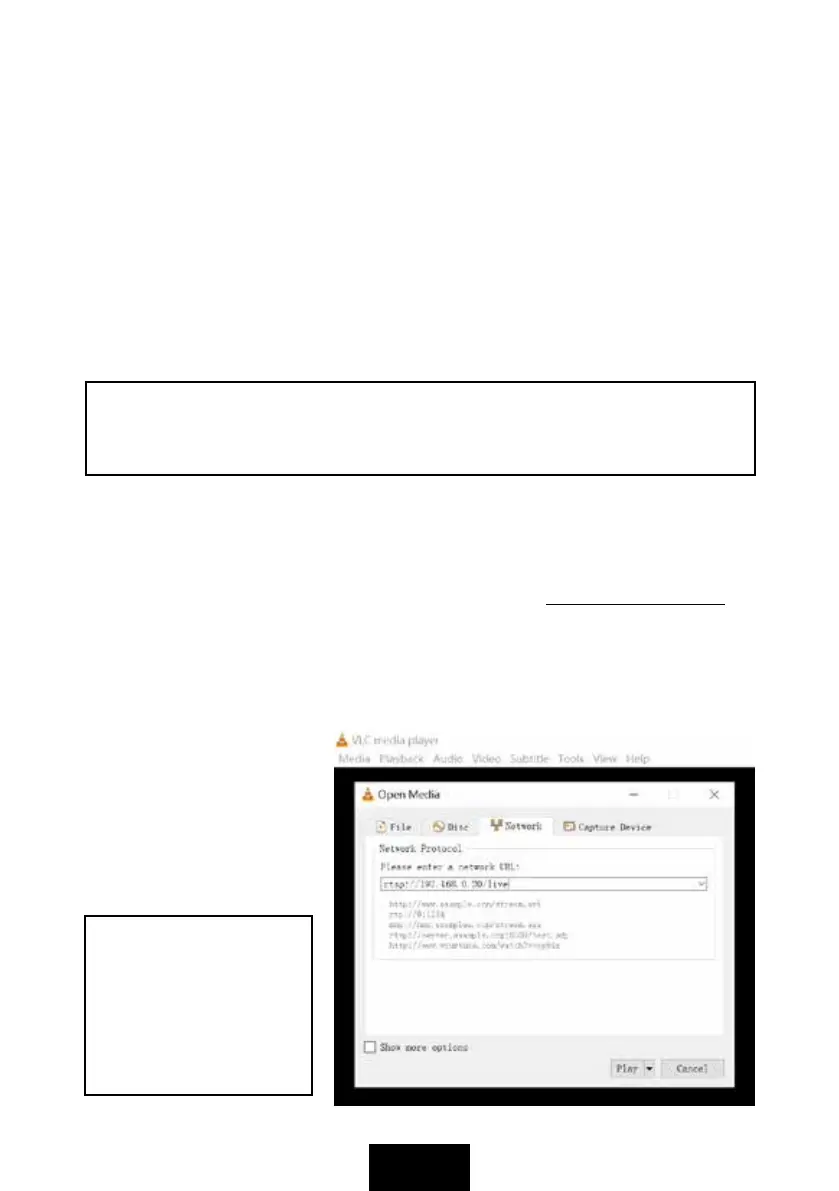
3. Open VLC media player, and click Media and select Open Network Stream, and fill in the
RTSP URL as picture, then click Play to view the video from Digitech HDMI to USB Capture
& Recorder device. RTSP URL will automatically display on the web settings page, it comes
from the network the device is connected to.
4. You can also install the VLC
app on your smartphone, and
get the video through RTSP
settings. Of course, you need
to set your smartphone to the
same local network as Digitech
HDMI to USB Capture &
Recorder device.
RTSP
The Format settings list on the left includes settings of Resolution, Bitrate, FPS and GOP,
they are for both of RTMP/RTSP and recording video in USB flash drive when you use the both
functions at the same time. Please click Save to finish the setting.
Resolution: 1920 x 1080, 1280 x 720, 640 x 480. Only for RTMP streaming video.
Bitrate: Less than or equal to 16000000bps. For both of record in USB flash drive and RTMP.
FPS: Less than or equal to 60pfs. For both of record in USB flash drive and RTMP.
The Streaming settings list on the right includes RTSP URL, RTMP - Stream URL and
Stream key. Please fill in the Stream URL and Stream key according to your streaming
platform and account, such as YouTube, Facebook, and click Save to finish the settings.
STREAM button will be illuminated WHITE now, and it means device is ready to stream.
6. Press STREAM button to start streaming, STREAM button will be illuminated GREEN, it
means device is streaming. Press STREAM button again to stop streaming, GREEN STREAM
button will be extinguished, and WHITE indicator is illuminated.
NOTE: While the STREAM indicator is flashing in RED, it means the setup or
configurations are incorrect: No HDMI signal input. No network connected or no network.
RTMP URL and key are not set.
NOTE: You can record
HDMI video in USB flash
drive and stream video
through RTMP/RTSP at
the same time. Please do
not set the high bitrate
when you stream video.


 To Next Page
 Loading...