3
Operation
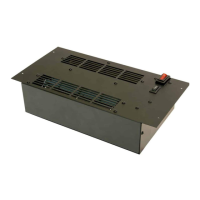
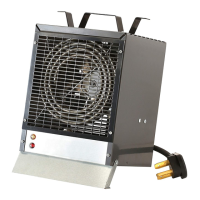
The heater can be controlled by remote, or the tethered
controller through the Opti-myst Cassette. Please refer to
cassette User's Guide for details.
! NOTE: The Opti-myst Pro Box Heater cannot be operated
independently from the Opti-myst Cassette (no heat only
mode).
Resetting the Temperature Cuto Switch
Should the heater overheat, an automatic switch will turn the
heater o and it will not come back on without being reset. The
temperature cuto switch can be reset by disconnecting power
to the unit, waiting 5 minutes and reconnecting power to the
unit.
CAUTION: If you need to continuously reset the heater,
disconnect power to the unit and call Glen Dimplex Americas
at 1-888-346-7539 for technical support. Please have your
model and serial number ready when calling.
Maintenance
Opti-myst Pro Box Heater Surface Cleaning
To remove ngerprints or other marks, the exterior nish can be
cleaned with a damp cloth with a mild detergent. The surface
should be completely dried with a lint free cloth to prevent water
spots.
Servicing
Except for installation and cleaning described in this manual,
an authorized service representative should perform any other
servicing.
! NOTE:
The heater should not be operated with an
accumulation of dust or dirt on or in the unit, as this can cause
a build up of heat and eventual damage. For this reason
the heater must be inspected regularly, depending upon
conditions and at least at yearly intervals.









 To Next Page