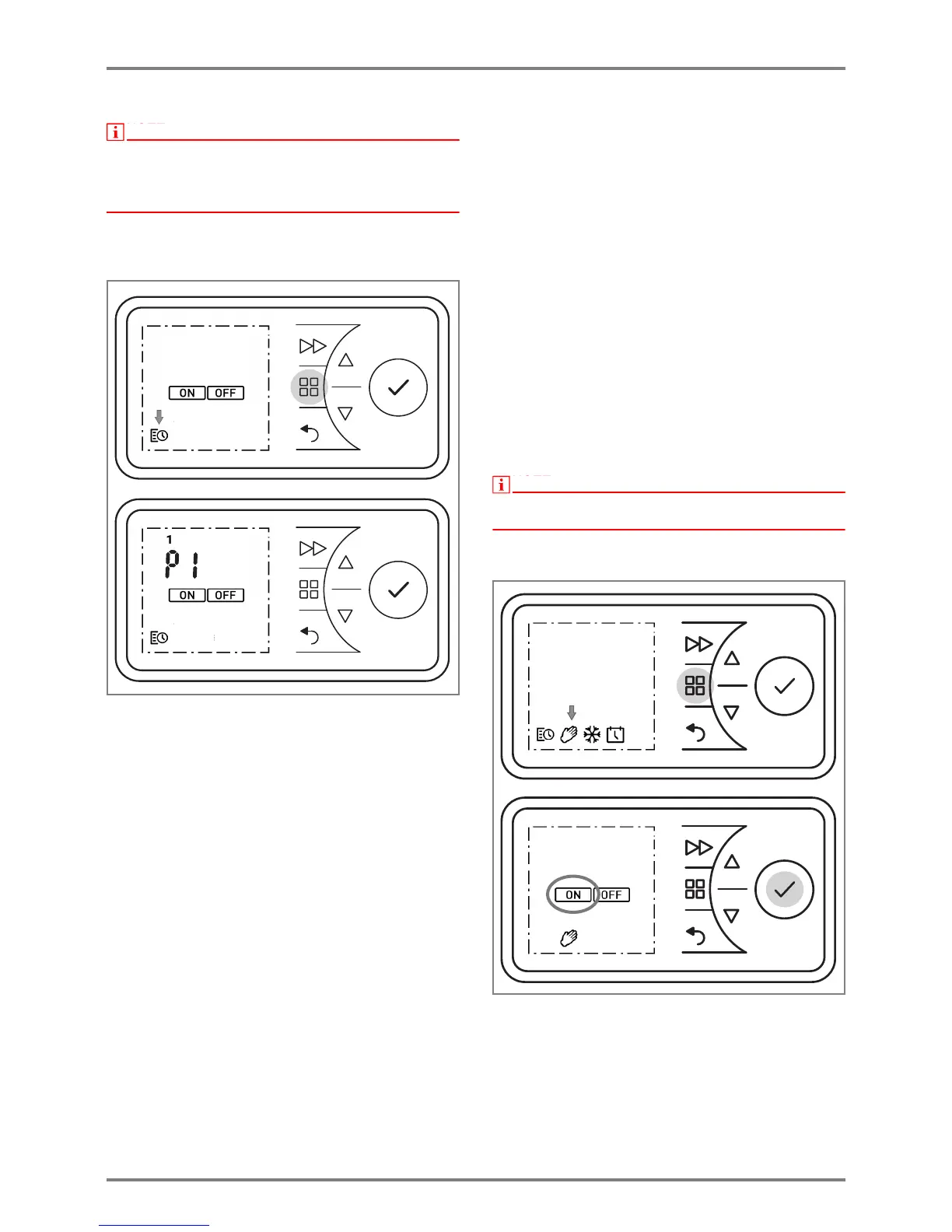
It is advisable to use the timer operating mode to
reduce the operating costs. Using the device in manual
heating operation can result in increased operating
costs.
The timer is pre-programmed at the factory. Four time
blocks are available per day, which can be adapted
individually for each weekday.
To change these profiles, carry out the following steps:
Press the MENU key. The TIMER symbol flashes.
Press the ENTER key. The ON symbol flashes.
Press or to select the TIMER symbol. The
TIMER symbol flashes. Press the ENTER key.
Select a weekday.
1 = Monday 5 = Friday
2 = Tuesday 6 = Saturday
3 = Wednesday 7 = Sunday
4 = Thursday
Use or to select the day. Press the ENTER
key. P1 (Program 1) flashes.
Press the ENTER key. Switch-on time flashes.
Press the ENTER key. The hours display flashes.
Use or to set the hours. Press the ENTER
key. The minutes display flashes.
Use or to set the minutes. Press the ENTER
key. Room temperature flashes.
Use or to set the temperature. Press the
ENTER key. Switch-off time flashes.
Press the ENTER key. The hours display flashes.
Use or to set the hours. Press the ENTER
key. The minutes display flashes.
Use or to set the minutes. Press the ENTER
key. P2 (Program 2) flashes.
The programs P2, P3 and P4 can be set in the
same way.
To copy the newly set programs P1 - P4 to other
days, press ENTER. The COPY display flashes.
Press the ENTER key. The COPY display appears
permanently. The weekday flashes.
Press or to select more weekdays. Confirm
each one with the ENTER key.
The selected weekdays are shown at the top edge
of the display.
To finish, press or to select COPY. The
COPY display flashes.
Press the ENTER key. The settings are saved. The
ON symbol flashes.
Confirm the BACK key to return to the standard
display.
9.3 Manual operation




 To Next Page