EasyManua.ls Logo

Dimplex Revillusion RBF36P - User Manual

Dimplex Revillusion RBF36P
24 pages
Print Icon
To Next Page IconTo Next Page
Loading...
7214620100R04
Revillusion
®
Built-in Electric Firebox
Models: RBF30 (6909780100), RBF30WC (6909780200),
RBF36 (6909790100), RBF36WC (6909790300),
RBF36P (6909790200), RBF36PWC (6909790400),
RBF42 (6909800100), RBF42WC (6909800200)
Owners Manual
IMPORTANT SAFETY INFORMATION: Read this manual rst before attempting
to install or use the Revillusion
®
Built-in Electric Firebox. Always comply with the
warnings and safety instructions contained in this manual to prevent personal
injury or property damage.
To view the full line of Dimplex products,
visit www.dimplex.com
Question and Answer IconNeed help?

Do you have a question about the Dimplex Revillusion RBF36P and is the answer not in the manual?

Summary

Important Safety Instructions

Basic Precautions

Essential safety guidelines for operating the electric firebox to prevent hazards.

Important Safety Instructions

Special Precautions & FCC Compliance

Covers specific warnings for use and regulatory compliance information.

Specifications

Installation

Electrical Installation

120 V Direct Power Wiring

Step-by-step guide and diagram for 120V direct electrical connection.

240 V Direct Power Wiring

Step-by-step guide and diagram for 240V direct electrical connection.

120 V Wall Switch Wiring

Instructions and diagram for wiring a 120V wall switch.

240 V Wall Switch Wiring

Instructions and diagram for wiring a 240V wall switch.

Operation

Maintenance

Overview

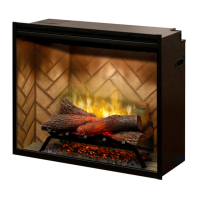
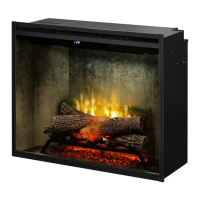
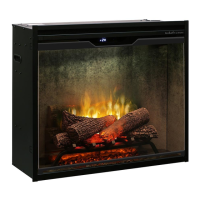
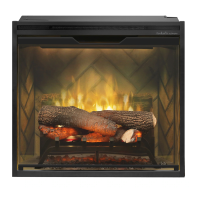
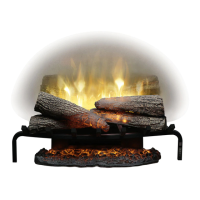
The Revillusion® Built-in Electric Firebox is an electric fireplace designed to offer an alternative to traditional wood or gas fireplaces. It can be installed in an existing fireplace opening or integrated into a cabinet or media center to create a focal point. The unit is designed for indoor use only and does not require special venting.

Function Description

The primary function of the Revillusion® Built-in Electric Firebox is to provide a realistic flame effect and supplemental heat. The flame effect is created using Realogs® with LEDs that produce a unique pulse and glow. The unit features a heater that can be turned on or off, with adjustable temperature settings.

Usage Features

The firebox can be controlled via a touch panel located on the front of the unit or a multi-function remote control. The remote control has a range of approximately 30 ft (9 m) and must be pointed towards the front of the firebox for correct operation.

Power/Standby:

  • Standby State On: Pressing the power icon turns everything off. Pressing it again activates the previous state.
  • Standby State Off: Pressing the power icon activates the previous state. If the flame effect was on, the previous heat setting (on or off) will be activated. If the flame effect was off, the previous heat setting (high or low) will be activated. Pressing again turns everything off.

Heat Control:

  • Heat On: Activates the heater, indicated by a short beep and an icon on the display. The current heater temperature setting is displayed.
  • Heat Off: Turns the heater off, indicated by a short beep. After the heater is switched off, the fan will continue to run for 60 seconds before turning off.
  • Temperature Adjustment: The temperature can be lowered or raised in 1°F (1°C) increments using the Temp Down and Temp Up icons. The lowest temperature setting is 41°F (5°C), and the highest is 99°F (37°C). This feature is active when the heat is enabled.
  • Change Fahrenheit to Celsius: Pressing both Temp+ and Temp- icons on the unit simultaneously changes the temperature display between Fahrenheit and Celsius.
  • Heat Enable/Disable: Holding both Heat and Temp- icons on the unit for 2 seconds enables or disables the temperature adjustment. When disabled, "---" displays on the screen.

Lighting and Flame Effects:

  • Color Themes: Pressing the Color Themes icon multiple times changes the flame base colors from Red to Blue to Off. The first segment on the display changes from "r" to "b" to blank. This feature is active only when the flame effect is on.
  • 360° Light: Pressing the 360° Light icon multiple times changes the LEDs on the sides and back of the unit from Midnight mode to white, then yellow, then red. The middle segment on the display changes through 0-3 respectively. This feature is active only when the Flame is ON.
  • Brightness: Pressing the Brightness icon changes the LED lights from High to Low. The last segment on the display changes from "H" to "L". The Realog® LEDs remain on when the heater is ON and the flame effect is off. When the Light Sensor is activated, High and Low flickering brightness settings are also available (Flashing "H" and "L").
  • Flame: Pressing the Flame icon lights the log set and starts the flame effect. Pressing it again turns the feature off.
  • Light Sensor: Pressing the Light Sensor icon activates the ambient light sensor (ALS ON). Pressing it again turns the sensor off (ALS OFF). The light sensor adjusts the brightness of the fireplace based on the ambient light in the room.

Timer:

  • Sleeper Timer: Pressing the Timer icon multiple times changes the sleeper timer in 0.5-hour increments from 0.5 hours to 8.0 hours before turning off. The remaining time on the sleep timer displays.

Control Lock:

  • Control Lock/Unlock: Holding both Temp- and Brightness icons on the unit for 2 seconds disables or enables the manual controls.

Safety Features:

  • Temperature Cutoff Switch: If the heater overheats, an automatic cut-out will turn it off. To reset, disconnect power at the main electrical panel and wait 5 minutes before plugging the unit back in. Continuous resetting indicates a problem, and technical support should be contacted.
  • GFI Circuit Protection: For installations in areas where water is present (e.g., bathrooms, near showers/tubs), the firebox must be protected by a GFI circuit.

Maintenance Features

Regular maintenance helps ensure the longevity and proper functioning of the firebox.

  • General Inspection: Inspect the firebox regularly, at least yearly, depending on usage conditions.
  • Dust and Dirt Removal: Remove dust and clean the logs, grate, and base as needed. Operating the firebox with accumulated dust or dirt can lead to heat buildup and damage.
  • Cleaning Painted Surfaces: Use a damp cloth and a mild detergent to clean painted surfaces. Avoid abrasive cleaners.
  • Reflector Screen Cleaning: The reflector screen is cleaned at the factory. Dust particles can be removed with a clean, dry cloth. For fingerprints or other marks, use a damp cloth and dry completely with a lint-free cloth to prevent water spots. Never use abrasive cleaners on the reflector screen.
  • Remote Battery Replacement: To replace the battery, push down on the battery cover on the back of the remote, slide it open, and install a 3V (CR2032) Lithium battery with the positive (+) side facing up. Close the cover. Old batteries should be recycled properly.
  • Heater Disablement: The firebox heater can be permanently disabled by removing the electronic jumper on the main control board. This is useful if the heater is not desired. To disable, locate and remove the panel on the top left of the unit, pull out the electronic jumper on the left side of the screw in the right corner of the board (labeled "HT EN"), and reinstall the previously removed panel.

Dimplex Revillusion RBF36P Specifications

General IconGeneral
ModelRBF36P
TypeElectric Fireplace
Size36 inches
StyleTraditional
Remote ControlYes
Volts120V
HeaterYes
Fuel TypeElectric
Flame EffectYes
Adjustable Flame BrightnessYes
ThermostatYes
TimerYes
Wall MountableYes
FreestandingNo
Log Set IncludedYes
Ember Bed IncludedYes
Heating Capacity400 sq ft
Flame TechnologyRevillusion
InstallationWall Mountable or Freestanding
Wattage1500W
BTUs4800 BTU
Depth12 Inches
Voltage120V
Heating Capacity (sq ft)400 sq ft

Related product manuals