NOTE:
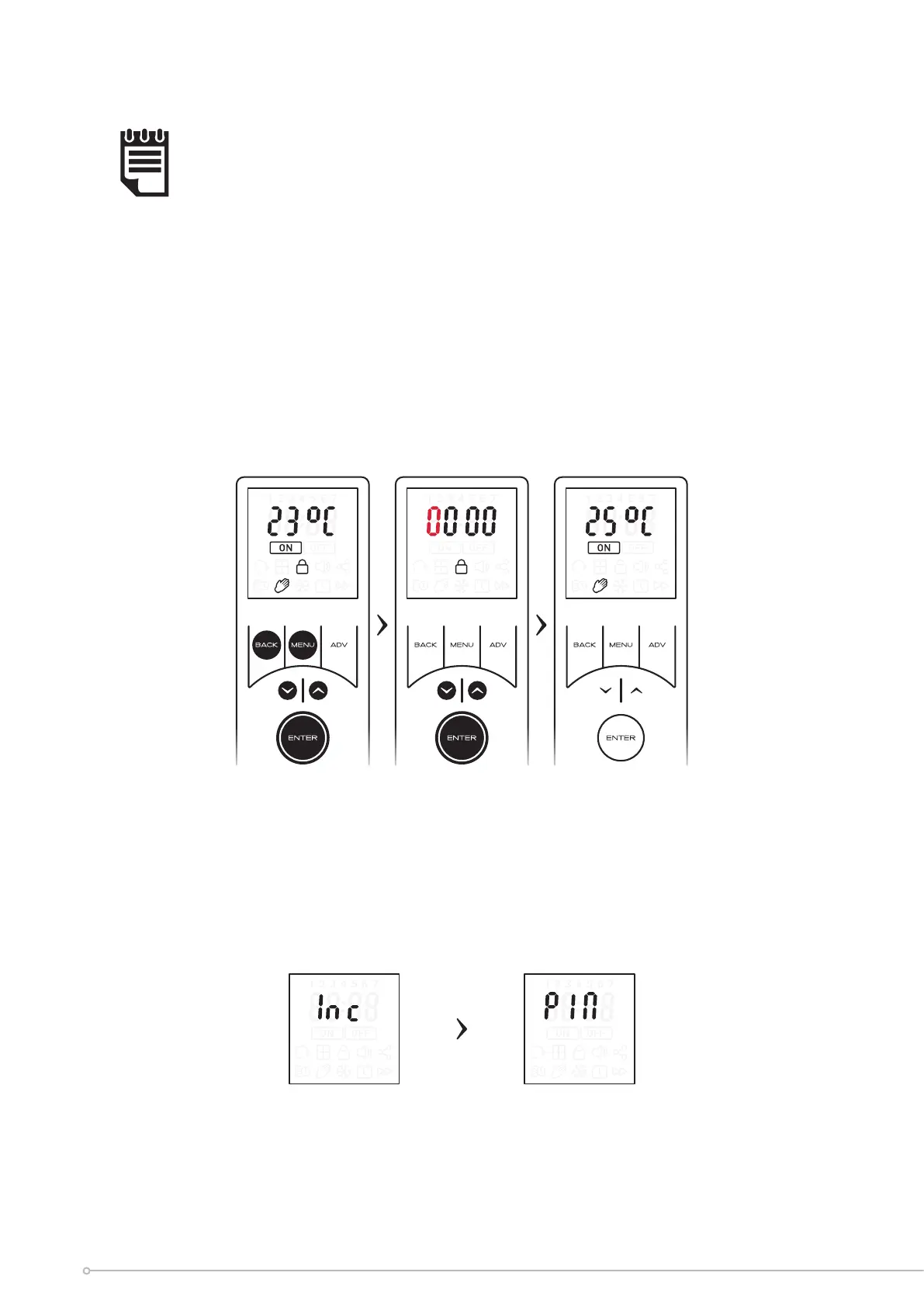
Once the PIN has been set you will be required to re-enter the PIN if any button
is pressed. The only exception is when the criteria has been met to allow runback
mode using the ADV key.
Exiting PIN Lock mode
• Press any button to enter the PIN display
• Use the arrow keys to input the rst digit. Press ENTER to conrm.
• Repeat until all four digits have been entered, then press ENTER to conrm.
If the correct PIN has been entered, the device will be unlocked and you will be returned
to the home screen.
If incorrect, the word ‘Inc’ will ash for 1 second, ‘Pin’ will be displayed for 1 second, then
the screen will return to the PIN locked home screen
Screen is displayed for 1
second before moving to
next screen
Screen is displayed for 1
second before moving to
next screen
32





 To Next Page