The first module: basic function use
1.1 boot and shutdown
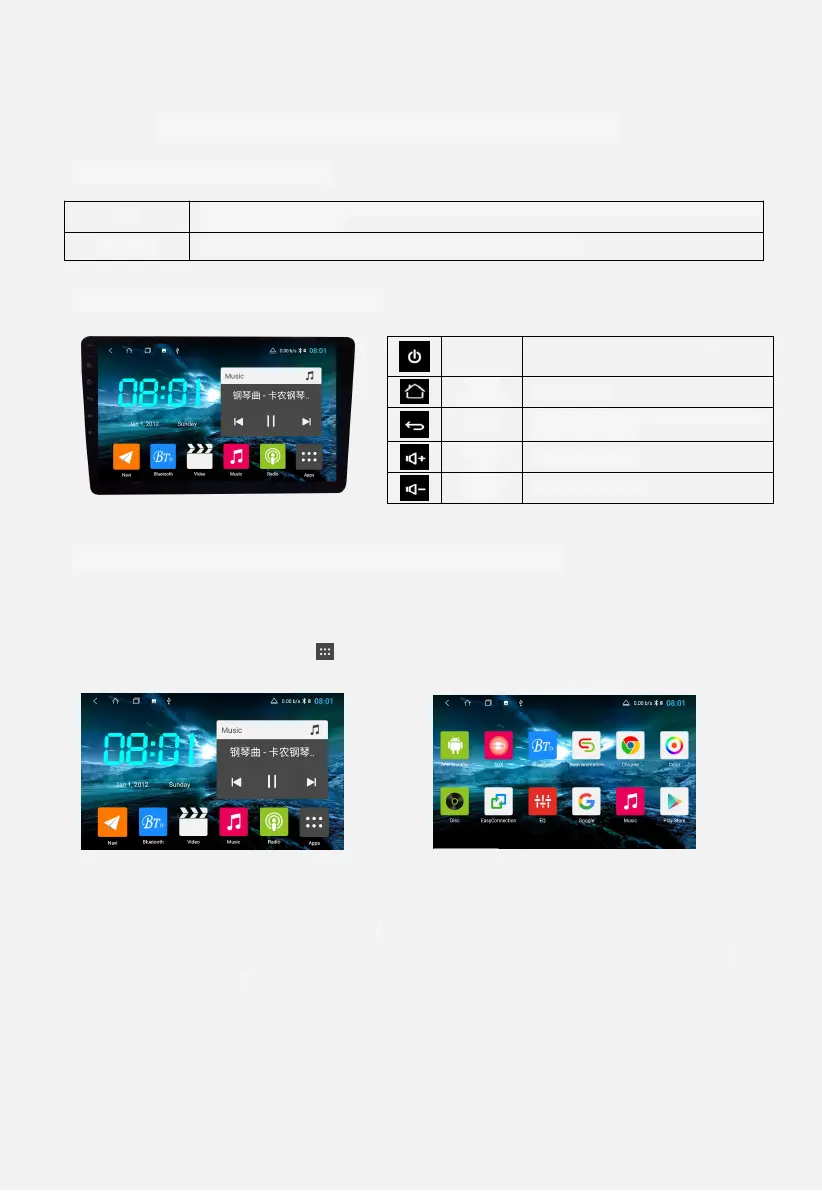
1.2 screen function buttons
1.3 main interface and application interface
1 main interface / application interface, swipe left or right to switch
between different pages.
2 Main interface Click icon to enter the application interface, as shown in
Figure 1.3.
Figure 1.2 Figure 1.3
3 main interface - long press the application - drag to the other application
below, create a file classification. Figure 1.4
4 Open the category folder and click on the words “Untitled File” below.
Custom file name. Figure 1.5
After turning on the ACC power supply on the car, it will automatically turn on and display the
startup LOGO animation.
Automatically shut down after turning off the ACC power on the car
Long press, close the screen. Short
press, mute
Return to the previous interface and exit
the current source


 To Next Page